
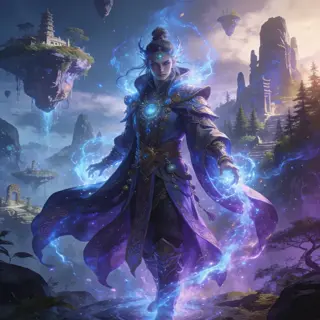
































What Is Nano Banana AI
Nano Banana is Google's AI model built on Gemini for generating and, above all, editing images from a photo and a reference. It is used to replace a background or an object, change clothing and style while keeping the face and key details intact — which makes Nano Banana a great fit for photo shoots, avatars, product photography, and photo retouching. The dashboard includes Nano Banana, Nano Banana 2, Nano Banana 2 Lite, Nano Banana 2.1 and Nano Banana Pro.
In Neuromia, Nano Banana works in Russian, online in your browser, and without a VPN — nothing to download, and you can pay with a Russian bank card.
How Nano Banana Differs from Flux and GPT Image
| Model | Best at | Price from |
|---|---|---|
| Nano Banana | Editing and enhancing photos | 4.4 credits |
| Flux | Image creation, lettering and edits | 1.76 credits |
| GPT Image | Prompt adherence, infographics | 6.6 credits |
For retouching and enhancing an existing shot — Nano Banana; for lettering on an image — Flux. All of them are available on a single balance.
How to Use Nano Banana in Russia Without a VPN
- Open Neuromia in your browser — no VPN needed.
- Sign up with your e-mail and get free starter credits.
- Upload a photo and describe the edit (or generate from scratch with a text prompt).
- Choose a version (2.1, 2, 2 Lite, Base or Pro) and generate your image. Top up your shared credit balance whenever needed.
Nano Banana Versions: 2.1, 2, Lite and Pro
| Version | Credits per image | Key details |
|---|---|---|
| Nano Banana 2.1 | 4.4 (1K), 6.6 (2K), 9.9 (4K) | Up to 10 references, Cyrillic text |
| Nano Banana 2 | 8.8 (1K), 13.2 (2K), 19.8 (4K) | Up to 14 references |
| Nano Banana 2 Lite | 4.4 credits | Up to 10 references |
| Nano Banana | 4.4 credits | Base version |
| Nano Banana Pro | 19.8 (up to 2K), 26.4 (4K) | Up to 8 references |
What Nano Banana Can Do
- Photo-based editing — replacing backgrounds, objects, clothing, and style.
- Face and style consistency — a uniform look across frames.
- Quality enhancement — more detail and a cleaner image.
- Text-to-image generation — images from scratch.
- Reference images — transferring composition and pose from a reference.
Use Cases: What to Use Nano Banana For
- Photo shoots and avatars from a single photo.
- Replacing the background and objects in a shot.
- A series of images in a consistent style.
- Virtual clothing try-on and style changes.
- Restoring and enhancing old photos.
Ready-to-Use Prompts
- "Turn the uploaded photo into a business portrait: neutral background, studio lighting, keep the face."
- "Replace the background with ..., match the light and shadows, clean edges."
- "Make a series of 4 avatars from this photo in a consistent style, keep the face recognizable."
How Much Nano Banana Costs and How to Pay
Pay per generation with shared Neuromia credits, with no subscription. Nano Banana 2.1 costs 4.4 credits at 1K, 6.6 at 2K and 9.9 at 4K. Pricing varies by version and resolution. Top up with a MIR card, Visa/MC cards issued by Russian banks, via SBP, or with YooMoney. Get 10 bonus credits when you sign up. Credits are charged only for completed results and returned if generation fails.
Nano Banana Limitations
Nano Banana does not generate video, and complex scenes may need several attempts. Nano Banana 2.1 handles Cyrillic lettering well. You can also compare its image text with Flux or GPT Image, using the same credit balance.
Bottom Line
Nano Banana in Neuromia means fast image generation and reference-based photo editing in Russian, online, without a VPN, with Russian bank card payments and a free start. The best choice for photo editing and photo shoots.