AI image generator online
Create images from a description or your own photos, then change backgrounds, objects and lighting with words. Choose from 16 models and see the price before each generation.
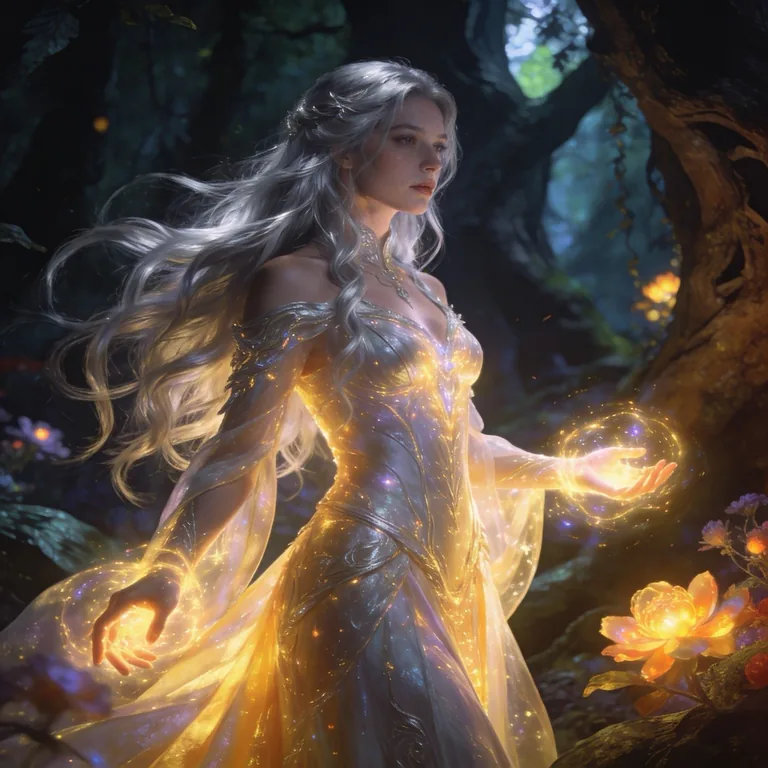
Beautiful fantasy female character standing in an enchanted forest, long flowing silver hair, elegant glowing dress, magical aura around her hands, cinematic lighting, mystical atmosphere, highly detailed, fantasy art, masterpiece
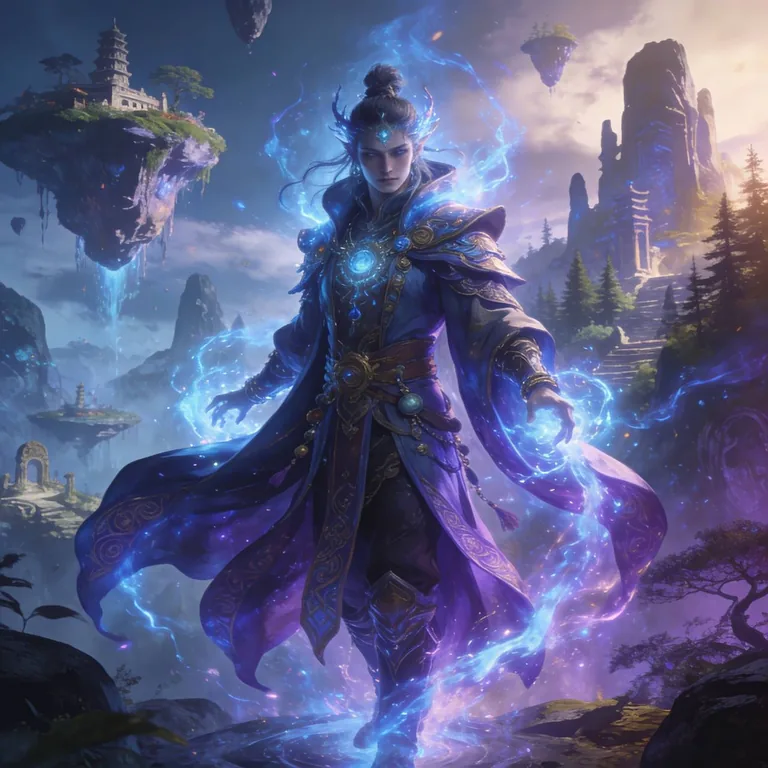
A detailed fantasy character, mystical outfit, magical glowing energy, standing in a breathtaking fantasy world, cinematic lighting, epic composition, ultra detailed, masterpiece fantasy art
![A photo of a person standing on a megacity street, torso at three-quarters, shoulders relaxed. The head is slightly raised and turned to the left, the gaze directed up and to the side. One hand is raised to the face, holding a disposable cup with a drink. Medium close-up framing (from the chest), the camera shooting from a low angle, a slightly dramatic perspective. The expression is calm and focused; the mood is a quiet city morning, a feeling of coolness and coziness, the moment before a sip of coffee. A voluminous coat of dense matte wool in a dark gray shade, loose fit, wide lapels. Underneath, dark basic cotton/wool knitwear. A knitted beanie of ribbed wool in a neutral shade; [the person's natural hairstyle] shows from under the beanie. Glasses with a thick dark plastic frame, with light reflections on the lenses. The nails have a uniform coat of rich red color. In the hand is a craft paper cup with a black plastic lid and a protective sleeve. Shot in a business district: in the background a tall modern skyscraper with a regular grid of windows and light vertical pylons, next to it a dark facade and a metal street light pole. The background recedes upward in perspective, the sky is overcast light gray, street elements slightly blurred. Natural daylight from the overcast sky, soft and diffused. The main light comes from above and slightly from the front, shadows are soft and low-contrast. Small highlights on the glasses frame and the cup lid. Cool color temperature, overall contrast moderately reduced. Shot on a 35mm lens or a smartphone with slight perspective distortion, small-to-medium depth of field, focus on the face and the hand with the cup, background noticeably blurred. Color grading in neutral-cool tones with slightly muted saturation. High detail, photorealistic, natural skin texture.](https://neuromia.ru/storage/ai-model-examples/019dd387-d433-7196-b0c2-30cf9ae0f3cc/fBRi2IEI5sOuPsGDo1zS69IzyTYk3AiXDAl37a97.webp)
A photo of a person standing on a megacity street, torso at three-quarters, shoulders relaxed. The head is slightly raised and turned to the left, the gaze directed up and to the side. One hand is raised to the face, holding a disposable cup with a drink. Medium close-up framing (from the chest), the camera shooting from a low angle, a slightly dramatic perspective. The expression is calm and focused; the mood is a quiet city morning, a feeling of coolness and coziness, the moment before a sip of coffee. A voluminous coat of dense matte wool in a dark gray shade, loose fit, wide lapels. Underneath, dark basic cotton/wool knitwear. A knitted beanie of ribbed wool in a neutral shade; [the person's natural hairstyle] shows from under the beanie. Glasses with a thick dark plastic frame, with light reflections on the lenses. The nails have a uniform coat of rich red color. In the hand is a craft paper cup with a black plastic lid and a protective sleeve. Shot in a business district: in the background a tall modern skyscraper with a regular grid of windows and light vertical pylons, next to it a dark facade and a metal street light pole. The background recedes upward in perspective, the sky is overcast light gray, street elements slightly blurred. Natural daylight from the overcast sky, soft and diffused. The main light comes from above and slightly from the front, shadows are soft and low-contrast. Small highlights on the glasses frame and the cup lid. Cool color temperature, overall contrast moderately reduced. Shot on a 35mm lens or a smartphone with slight perspective distortion, small-to-medium depth of field, focus on the face and the hand with the cup, background noticeably blurred. Color grading in neutral-cool tones with slightly muted saturation. High detail, photorealistic, natural skin texture.
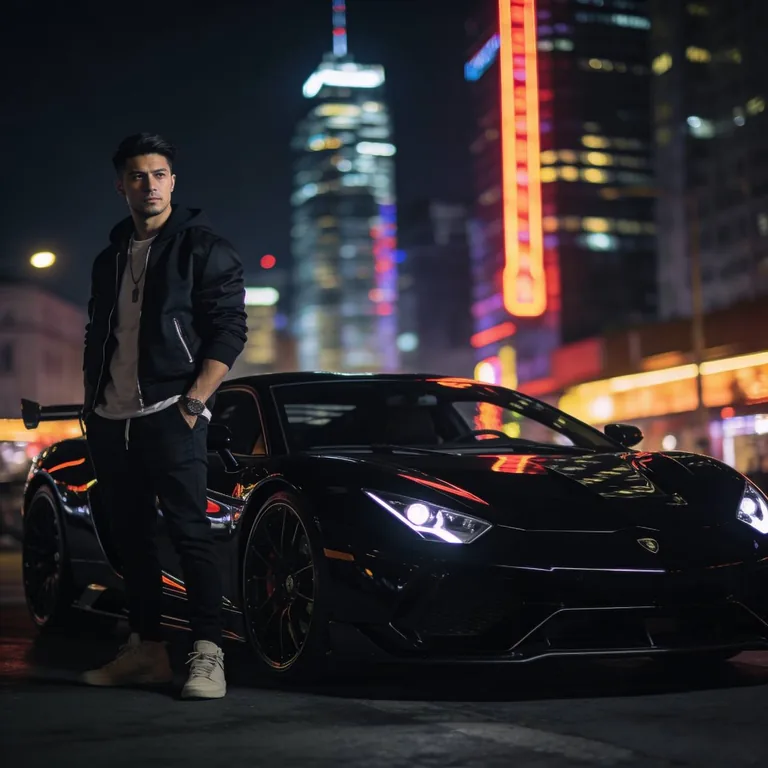
Hyper realistic cinematic photo of a stylish man standing next to a black luxury sports car, night city lights reflecting on the car body, confident pose, modern street fashion, realistic skin texture, sharp facial details, shallow depth of field, dramatic moody lighting, reflections on polished metal, professional automotive photography, ultra realistic, 85mm lens, RAW photo, high detail
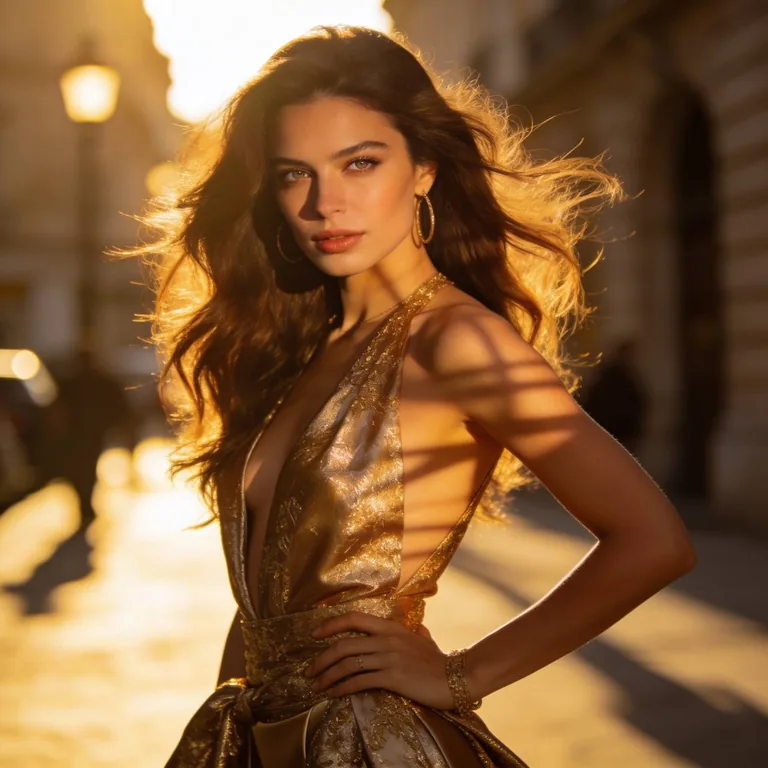
Hyper realistic fashion editorial photoshoot of a beautiful woman, natural skin texture, detailed eyes, elegant pose, luxury outfit, soft golden sunlight, realistic hair movement, shot on professional DSLR camera, shallow depth of field, magazine cover photography, RAW photo, highly detailed, realistic shadows, 85mm lens, ultra realistic photography
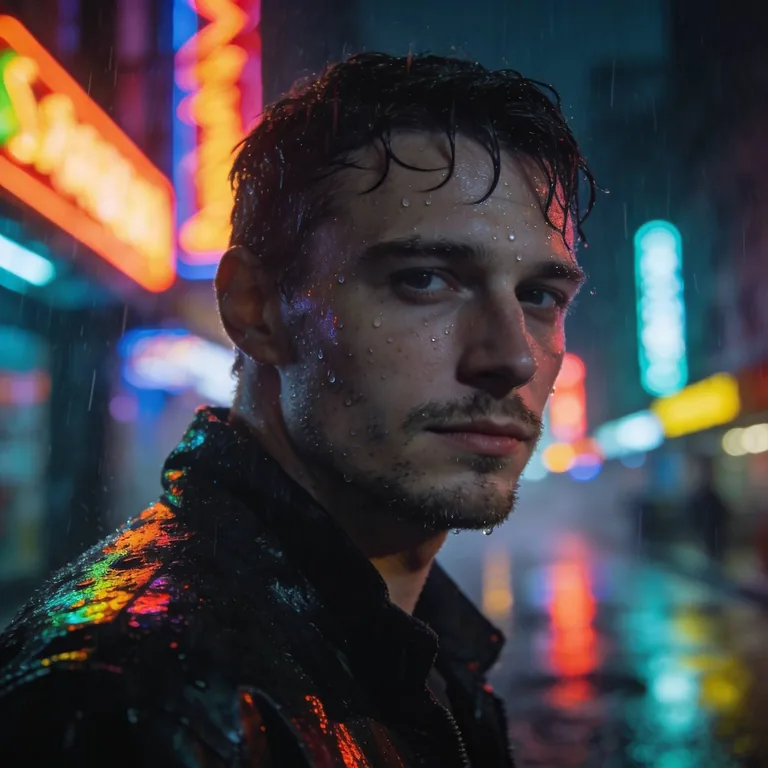
Hyper realistic cinematic photo of a white-skinned man standing alone on a rainy neon city street at night, pale skin, sharp masculine facial features, short dark hair slightly wet from rain, confident calm expression, realistic skin texture, water drops visible on face and jacket, wet pavement reflecting colorful neon lights, moody urban atmosphere, dramatic cinematic lighting, shallow depth of field, ultra realistic reflections, shot on Sony A7R IV, RAW photo, 85mm lens, masterpiece, highly detailed, realistic photography
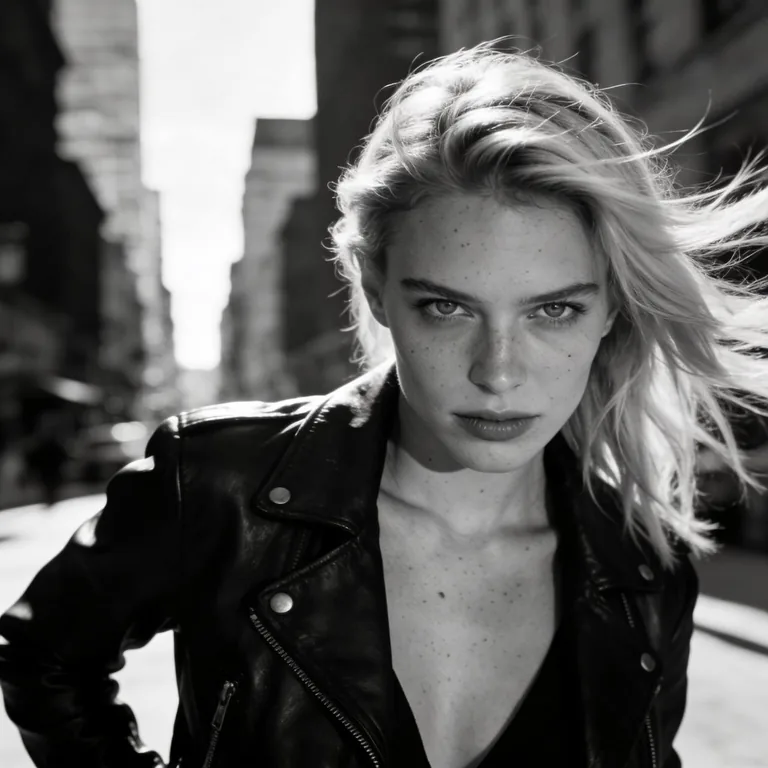
Hyper realistic photo of a white-skinned woman in black leather jacket, confident attitude, blonde hair moving in the wind, urban city background, moody cinematic lighting, bold fashion editorial photoshoot, realistic skin texture, sharp eyes, natural imperfections, RAW photography, ultra detailed, 85mm lens
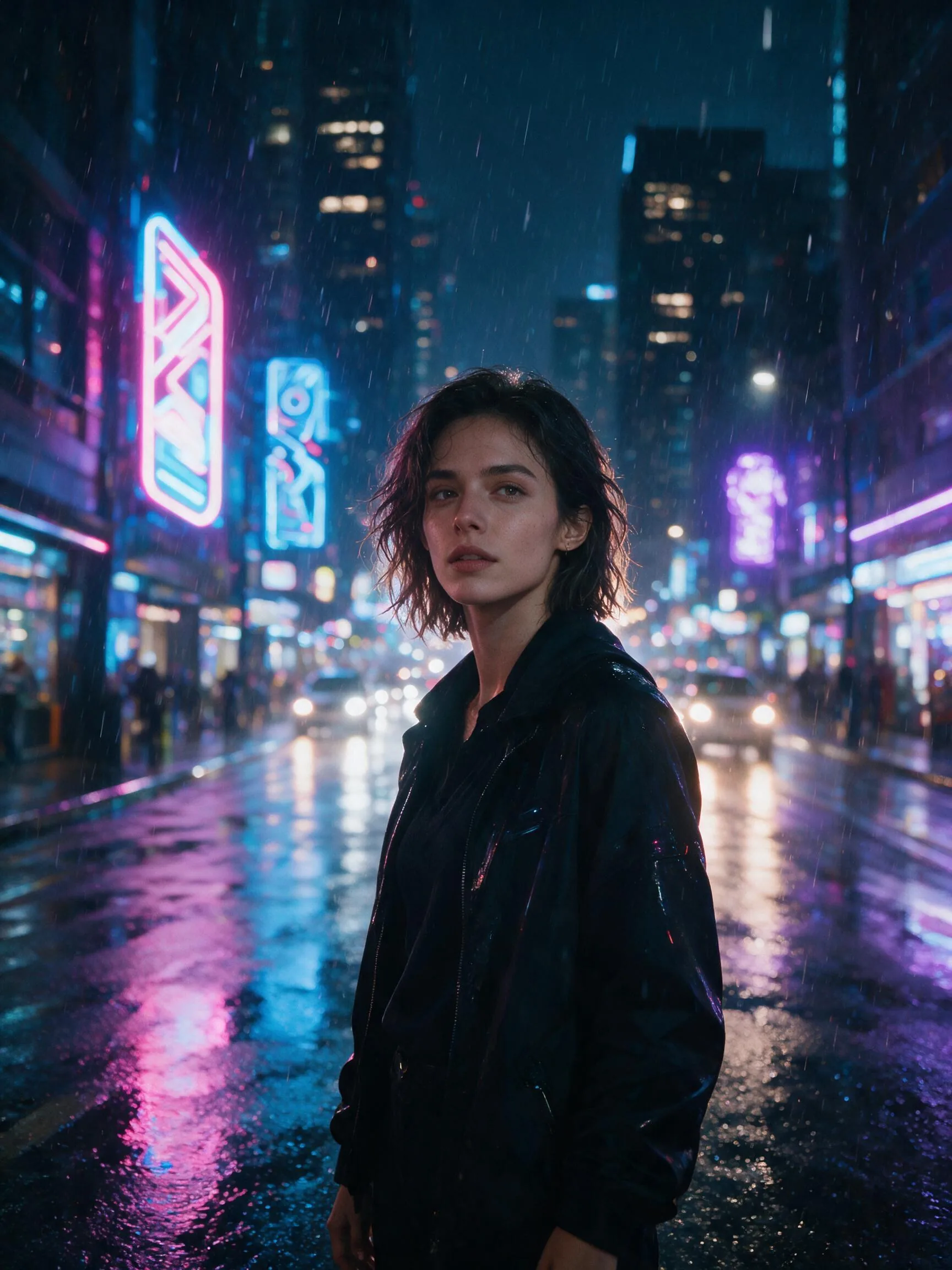
Create a cinematic neon portrait in a rainy futuristic city at night. If a reference image is provided, preserve the main subject’s identity, facial features, hairstyle, body proportions and key recognizable details, transforming them into this scene. If no reference image is provided, create an original stylish young adult character. The subject stands under glowing neon signs, wearing a modern black coat with subtle cyberpunk details. Wet pavement reflects pink, blue and purple city lights. The mood is dramatic, premium and movie-like. Use shallow depth of field, realistic skin texture, expressive eyes, soft rim light, cinematic contrast, volumetric rain, detailed background bokeh. Style: ultra realistic, high-end movie still, editorial photography, 85mm lens, natural pose, sharp face, rich lighting, atmospheric depth. Avoid: distorted face, extra fingers, bad hands, blurry eyes, plastic skin, overprocessed look, watermark, text, logo.
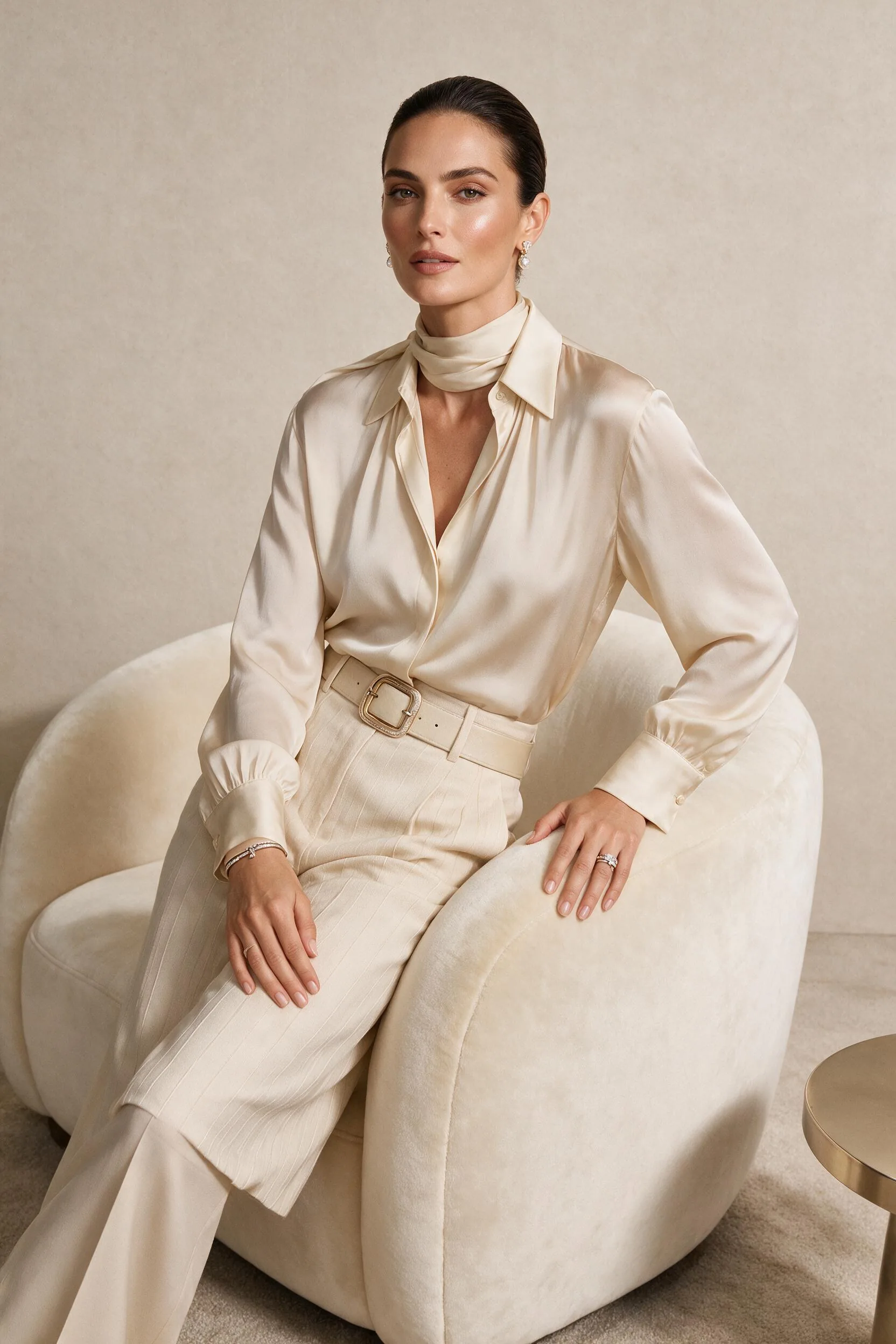
Create a luxury fashion magazine editorial portrait. If a reference image is provided, preserve the main subject’s identity, facial features, hairstyle, body proportions and recognizable details, turning them into a high-fashion editorial model. If no reference image is provided, create an original elegant model with a confident look. The subject is posing in a minimalist luxury studio with soft beige, cream and champagne tones. Outfit: premium tailored fashion, elegant fabrics, subtle jewelry, refined styling. Lighting is soft but expensive-looking, with clean shadows, smooth highlights and realistic skin texture. The composition should feel like a Vogue-style fashion shoot, sophisticated, modern, expensive and polished. Style: high-end editorial photography, realistic, premium studio lighting, sharp details, natural skin, elegant pose, clean background, professional retouching. Avoid: cheap glamour, unrealistic skin, distorted anatomy, extra limbs, bad hands, messy background, text, watermark, logo.
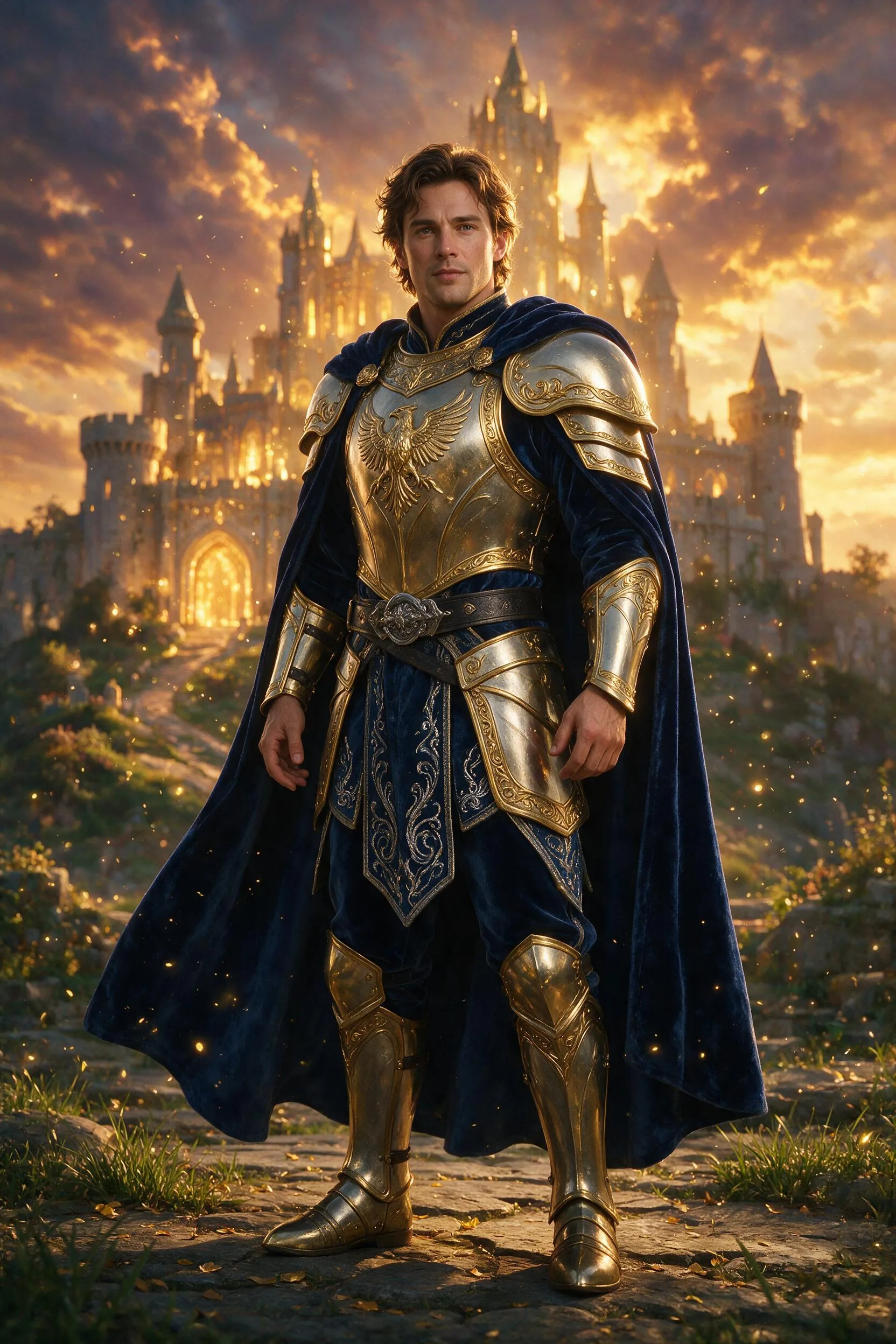
Create an epic fantasy hero character portrait. If a reference image is provided, preserve the main subject’s identity, facial features, hairstyle, body proportions and recognizable details, transforming them into a fantasy hero. If no reference image is provided, create an original heroic character. The subject wears detailed fantasy armor mixed with elegant fabric, standing in front of an ancient glowing castle at sunset. Add magical particles, soft golden light, dramatic clouds, cinematic atmosphere and a powerful heroic pose. The face must remain realistic and expressive, with natural skin texture and clear eyes. The image should feel like premium game concept art combined with realistic portrait photography. Style: cinematic fantasy, ultra detailed, realistic face, dramatic lighting, epic composition, high-quality character design, magical atmosphere. Avoid: cartoon style, distorted face, bad hands, extra fingers, unreadable armor, noisy details, text, watermark, logo.

Create a premium professional business portrait. If a reference image is provided, preserve the main subject’s identity, facial features, hairstyle, body proportions and recognizable details, improving the photo into a polished business portrait. If no reference image is provided, create an original professional adult subject. The subject is dressed in elegant modern business clothing, standing in a bright premium office interior with glass walls, soft daylight and a subtle city background. The expression is confident, calm and trustworthy. Lighting should be natural, flattering and realistic. Skin texture must look natural, not plastic. The result should look like a real high-end corporate photoshoot suitable for LinkedIn, personal brand, website profile or speaker bio. Style: realistic corporate photography, clean composition, natural retouching, sharp eyes, premium office atmosphere, professional and trustworthy. Avoid: fake smile, plastic skin, distorted face, bad hands, messy background, text, watermark, logo.
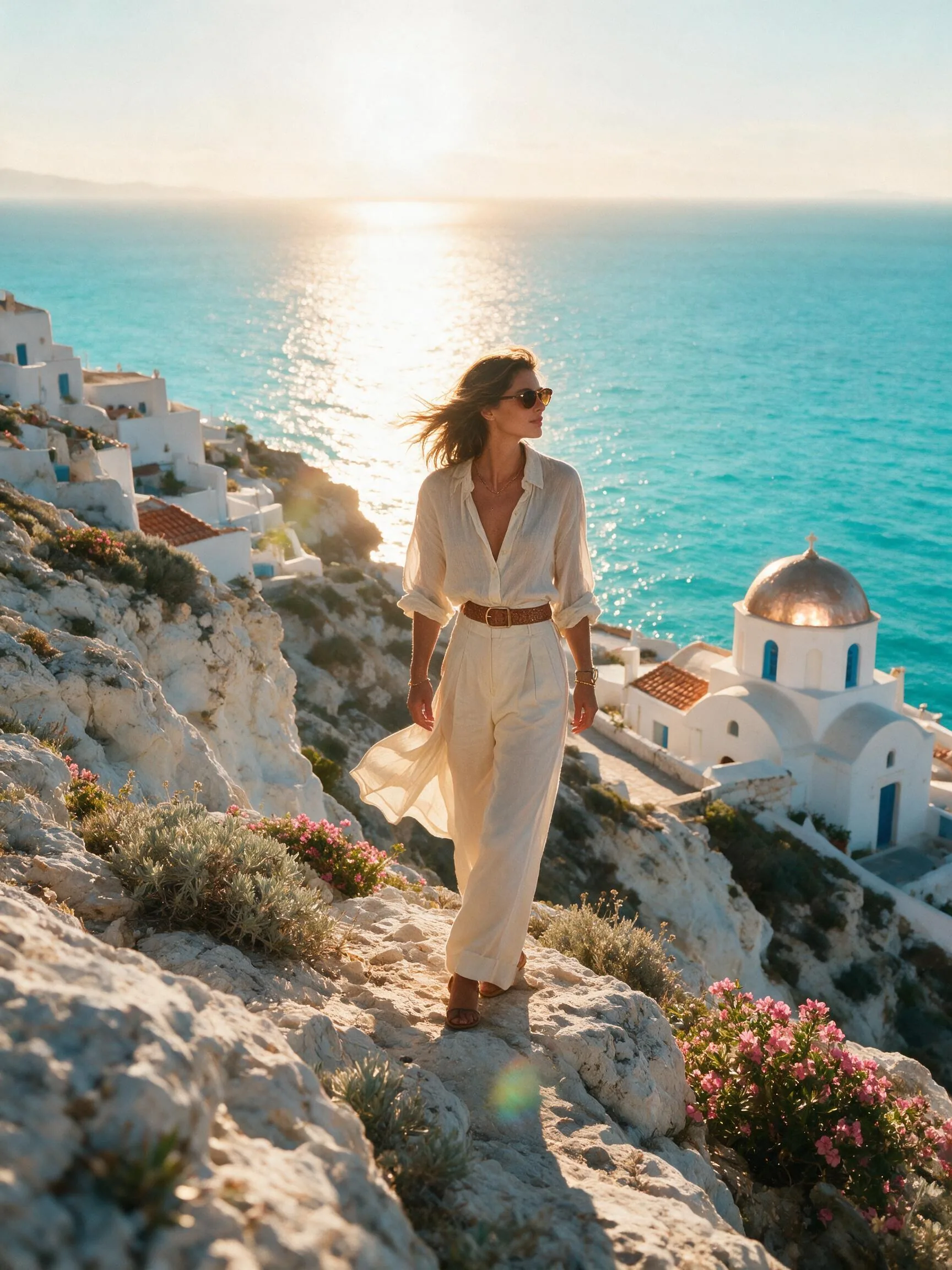
Create a cinematic luxury travel lifestyle image. If a reference image is provided, preserve the main subject’s identity, facial features, hairstyle, body proportions and recognizable details, placing them naturally into this travel scene. If no reference image is provided, create an original stylish traveler. The subject is standing on a beautiful Mediterranean cliff at golden hour, overlooking turquoise sea, white buildings and warm sunlight. Outfit is elegant summer travel fashion, relaxed but premium. Add soft wind in hair and clothing, realistic sunlight, cinematic lens flare, rich natural colors and a calm aspirational mood. The image should feel like a luxury travel campaign, Instagram-worthy but realistic. Style: ultra realistic lifestyle photography, golden hour lighting, premium travel editorial, natural pose, detailed environment, cinematic composition, sharp subject, beautiful atmosphere. Avoid: fake background, distorted face, bad hands, extra limbs, oversaturated colors, text, watermark, logo.
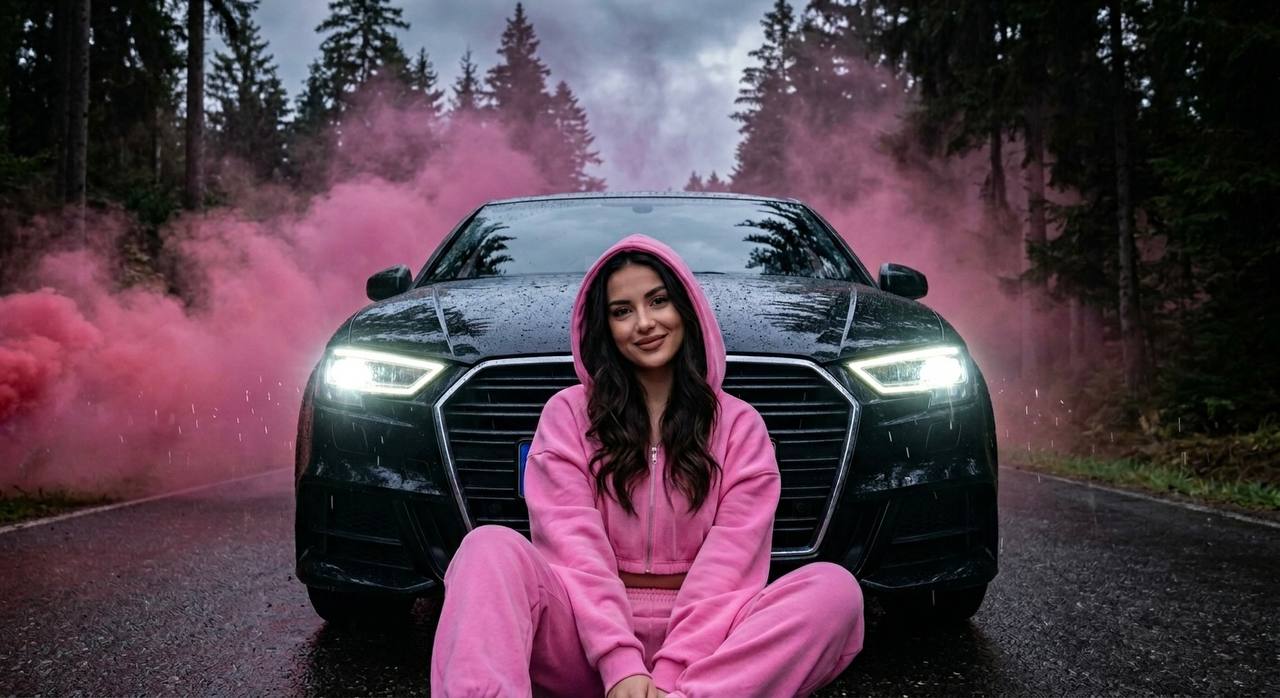
Create a photorealistic cinematic portrait based on the reference, keeping the face and facial features unchanged. A girl sits on a wet road in front of a latest-generation black Audi A3, leaning her back against the front bumper. The car faces the camera dead-on, its bright cold headlights turned on. Silhouettes of dark conifer trees are reflected on the hood. Behind the car there is thick pink smoke, creating atmospheric cinematic depth. A night forest backdrop, wet asphalt, soft light reflections, luxury street style mood. The girl wears a bright pink oversize set: loose joggers and a cropped zip-up hoodie with a hood. The hood is on her head. Her hair is long, thick and wavy. Her makeup is neat and expensive-looking, with powdery brown lips. The girl looks straight into the camera and smiles gently. The angle is slightly from below, a medium close-up, with emphasis on the face and the atmosphere of the shot. Ultra realistic, 8K, realistic skin texture, cinematic lighting, shallow depth of field, realistic reflections, soft smoke diffusion, wet asphalt reflections, no AI look, high detail, shot like professional editorial photo.
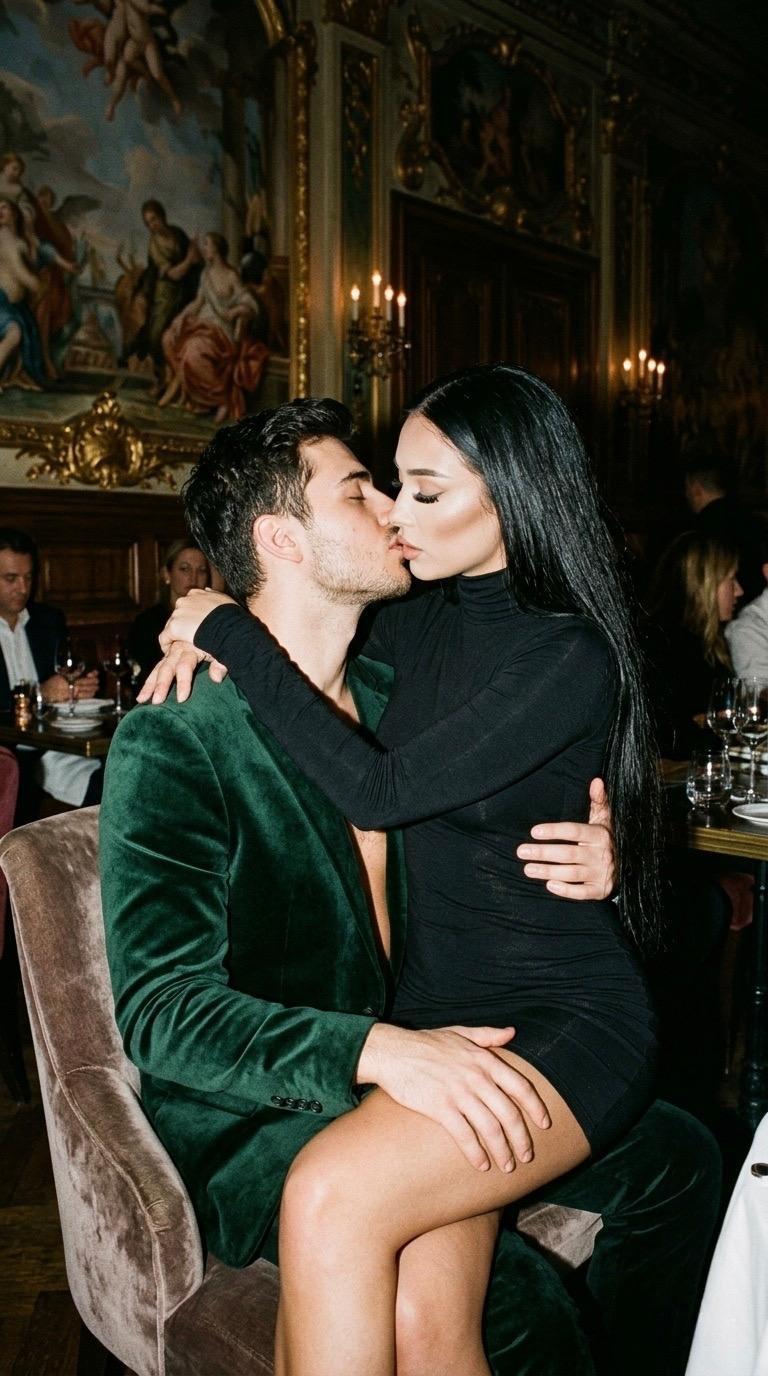
Create an ultra realistic cinematic couple portrait based on the reference, keeping the face and facial features unchanged. The atmosphere of an expensive luxury restaurant with artistic frescoes, warm dimmed light and an old money aesthetic. The man, wearing a green velvet suit over bare skin, sits on a chair while the girl sits on his lap. She wraps one arm around his neck and rests the other hand on his knee. The couple is kissing tenderly. The girl wears a fitted black mini dress with long sleeves and a high neck. Her hair is very long, straight and loose. Her makeup is neat and expensive-looking: light contouring, long lashes, glossy lips, glowing skin. The photo is shot with flash, with soft shadows and a film photography effect. Cinematic mood, soft film grain, luxury aesthetic, realistic skin texture, shallow depth of field, atmospheric lighting, no AI look, no plastic skin, ultra detailed, vertical 9:16.
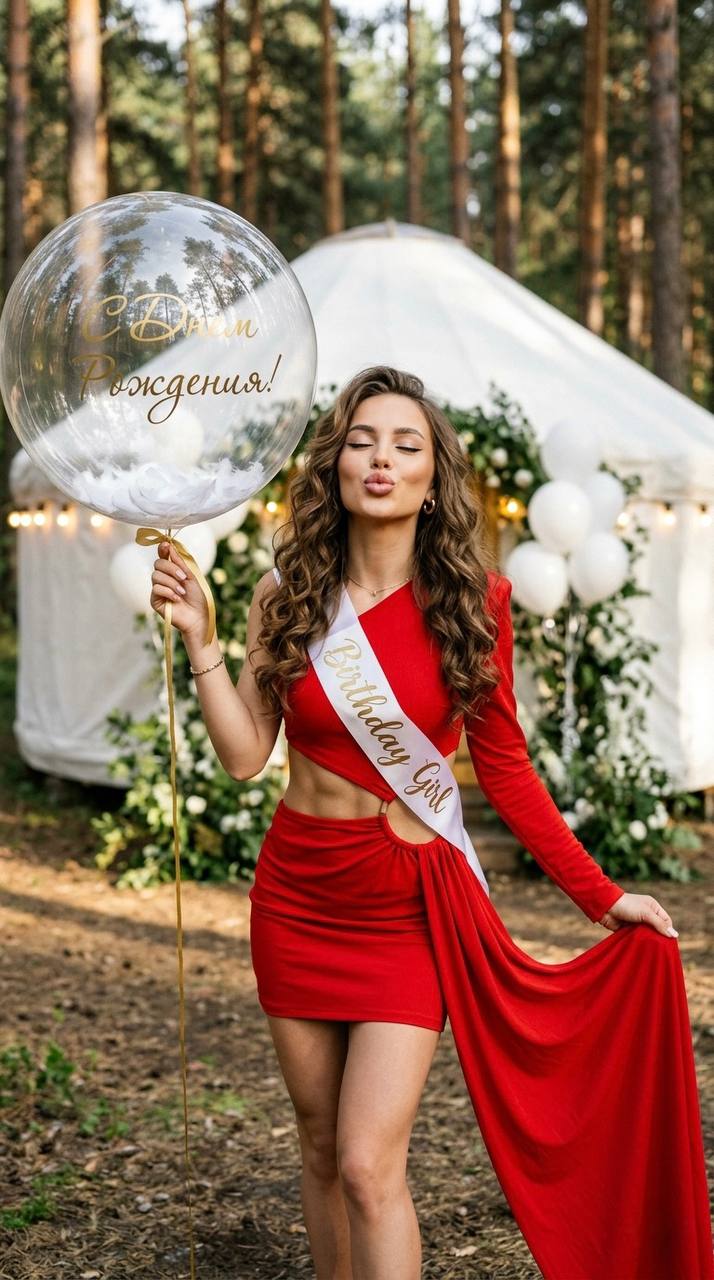
Create a cinematic portrait based on the reference, keeping the face and facial features unchanged. A close-up of a girl in a pine forest next to a stylish white round birthday tent with warm string lights and white balloons. The girl holds a large transparent balloon on a ribbon with a gold "Happy Birthday" inscription, filled with white feathers inside. The atmosphere of an upscale aesthetic birthday party in nature. The girl wears a short red one-sleeve dress with a waist cutout and a long train of the same fabric. Across her shoulder is a white sash with a gold "Birthday Girl" inscription. Her hair is long, loose, in voluminous waves. Her makeup is flawless: glossy lips, black winged eyeliner, long lashes, soft highlighter, glowing skin. The girl has closed her eyes, tilted her head slightly toward the camera and is blowing a gentle kiss with full lips. Soft evening light, shallow depth of field, atmospheric background blur, realistic skin texture. Ultra realistic, cinematic lighting, soft film grain, authentic photography, no AI look, no plastic skin, luxury aesthetic, vertical 9:16.
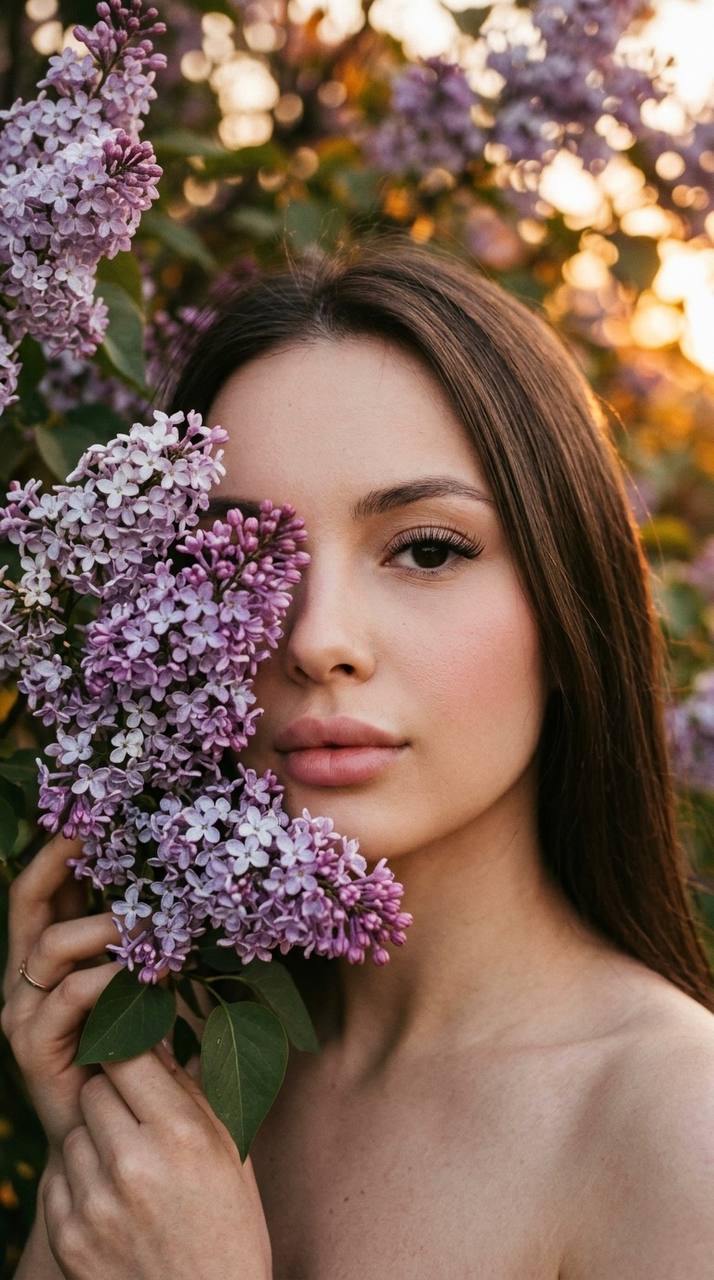
Create an ultra realistic portrait based on the reference, keeping the face and facial features unchanged. An extreme close-up of half of a girl's face, part of the face hidden by lilac branches and blossoms. The girl holds lilac to her face, with a soft gaze into the camera. The background is a blooming lilac tree at sunset, warm golden hour light, a tender cinematic atmosphere. Her hair is long, straight and well-groomed. Full soft-pink lips, a light barely noticeable blush, natural contouring, long lashes, perfect natural skin with realistic texture. No visible clothing in the frame. Soft depth of field, focus on the eyes and the lilac blossoms. Cinematic close-up, soft film grain, shallow depth of field, realistic skin texture, dreamy sunset lighting, soft shadows, ultra detailed, no AI look, no plastic skin, authentic photography, vertical 9:16.
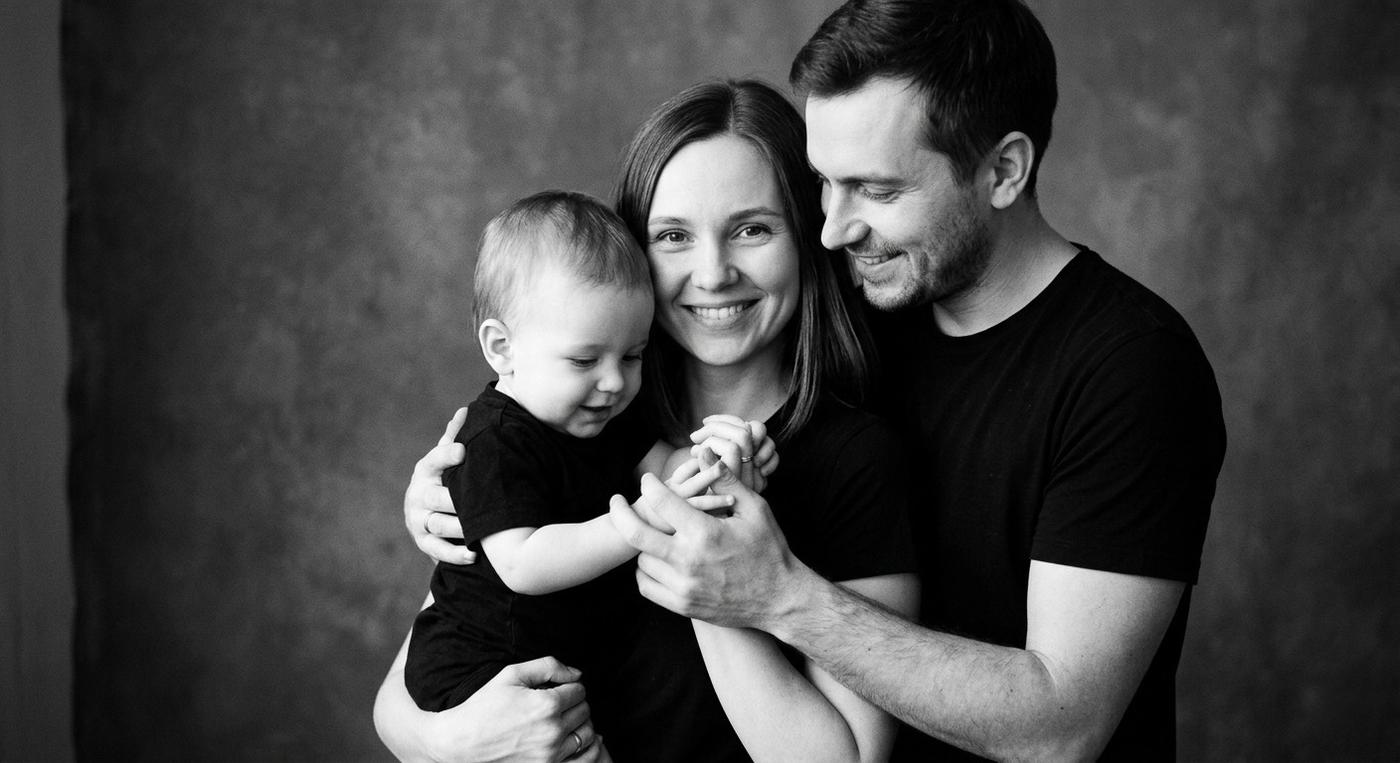
Create a hyper realistic black & white family portrait based on the reference, keeping the face and facial features unchanged. A cinematic studio photo of a family: the mother holds the baby in her arms, the father stands beside them, tenderly embracing them both and holding the child close. The mother looks straight into the camera with a soft loving gaze, the baby plays with the parents' hands, and the father looks at the child with warmth and care. Everyone is dressed in minimalist black T-shirts. The woman has long straight hair. The atmosphere is cozy, emotional and very alive, with emphasis on family connection and genuine emotions. Soft studio light creates beautiful shadows and accentuates skin texture, black and white processing, softly blurred background, shallow depth of field. Cinematic photography, soft film grain, authentic emotions, realistic skin texture, ultra detailed, 8K, no AI look, no plastic skin, minimalist luxury style.
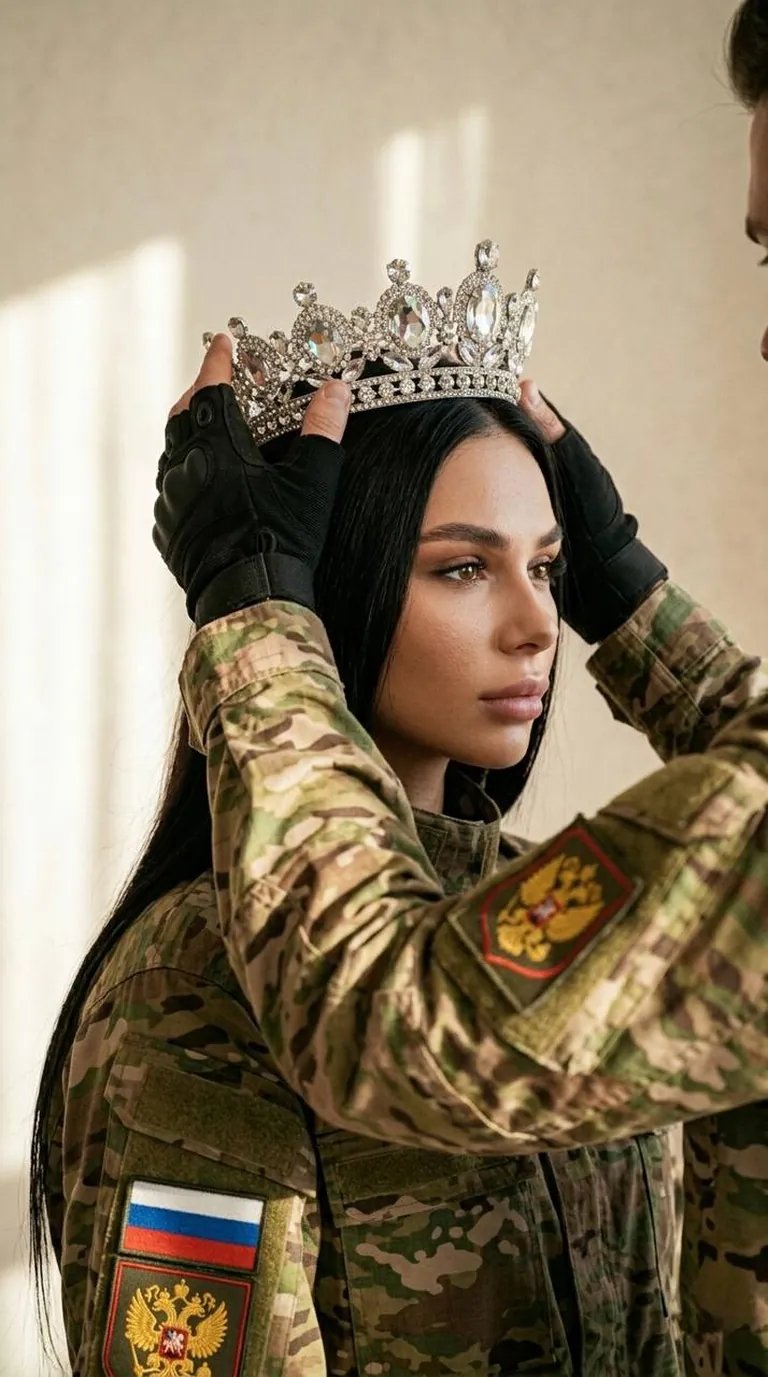
Without changing the appearance of the women in the photo, the scene is captured in soft diffused light that pours in from the left and gently touches the faces and clothing, creating a refined contrast of shadows and highlights on the camouflage fabrics. The main figure is a young woman turned three-quarters to the right, with an expression of calm concentration and an almost motionless gaze directed slightly to the right. Her long hair falls freely over her shoulder, partially hidden under a military uniform with a digital camouflage pattern. Another person's hand, dressed in the same military clothing and black tactical gloves, gently and precisely places on the girl's head a crown lavishly adorned with crystal stones, shimmering with radiance under the rays of light. The texture of the clothing fabrics is detailed and realistic, with clearly visible seams and material structure. Several patches are attached to the girl's sleeve, among which the Russian flag and the coat of arms with the double-headed eagle stand out distinctly, giving the scene a military-patriotic accent. The background is a light, even, slightly textured wall lit by sunlight, creating an atmosphere of coziness and inner calm. The composition of the frame is carefully arranged to focus attention on the symbolic act of placing the crown, filled with strength and dignity, conveying a subtle dramatic quality and the significance of the moment. The elements of the uniform, the face and the crown harmonize with the chiaroscuro atmosphere that gives the scene depth and a cinematic feel, creating the sense of a living, emotional story. Photorealistic image, high texture detail, high quality, 8K resolution. 9:16
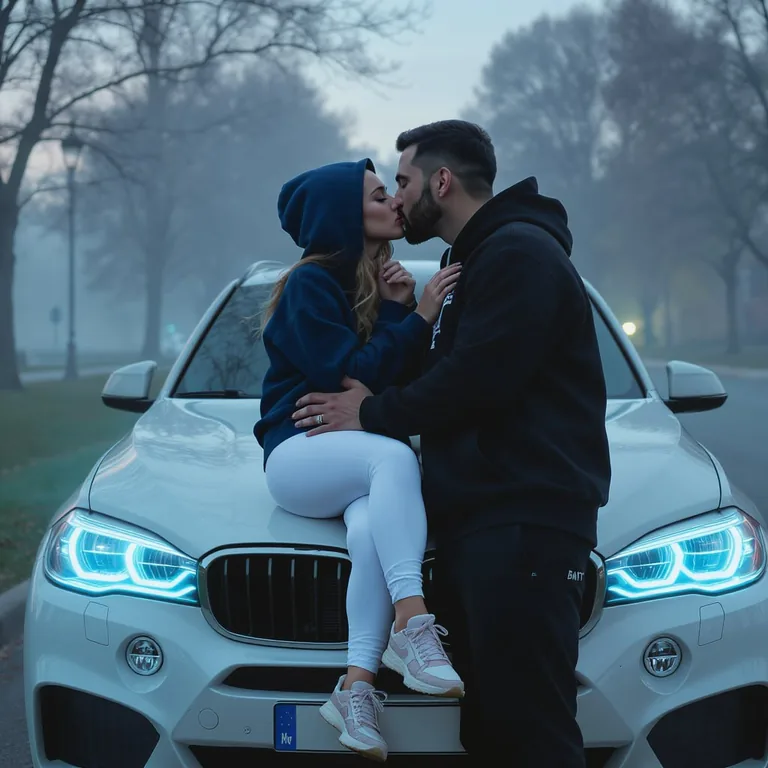
Do not change the facial features. Cinematic close-up portrait of a couple. A man and a woman are in a park on a misty evening. The girl is sitting on the hood, at the side of a white BMW SUV with blue headlights. The man stands next to her, holding her by the waist, and they are kissing. She is wearing a dark blue hoodie with the hood up and white leggings. He is wearing a black hoodie and black joggers. Format 9:16
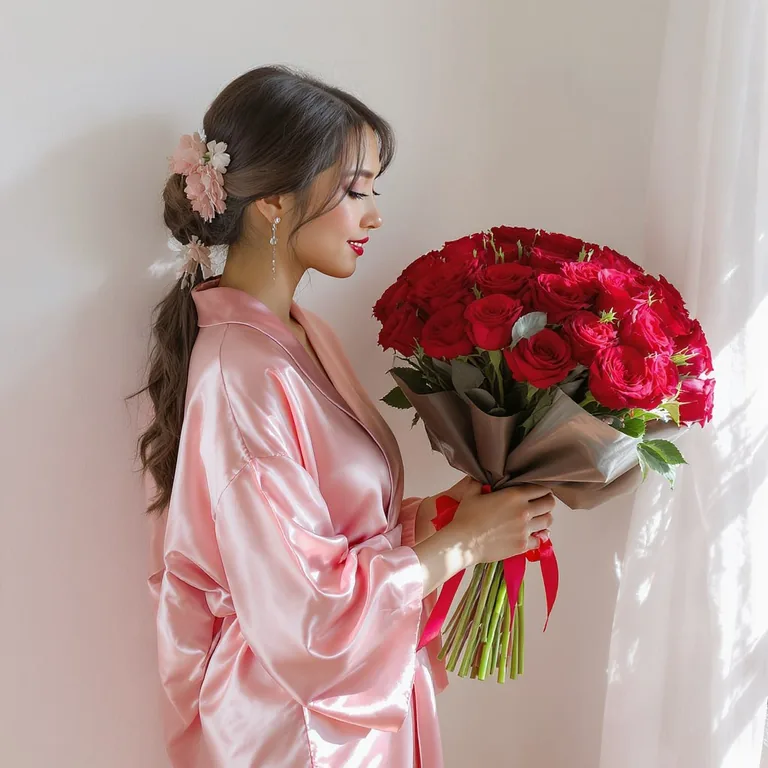
Do not change the facial features or hair color. Create an ultra detailed 4K photo, realistic, with pronounced skin texture. A young woman stands by a white wall with a huge bouquet of red roses. The background is not blurred. She is wearing silk pink kimono pajamas. The woman is looking at the bouquet, her hands holding it. Sunlight shines in from the window.
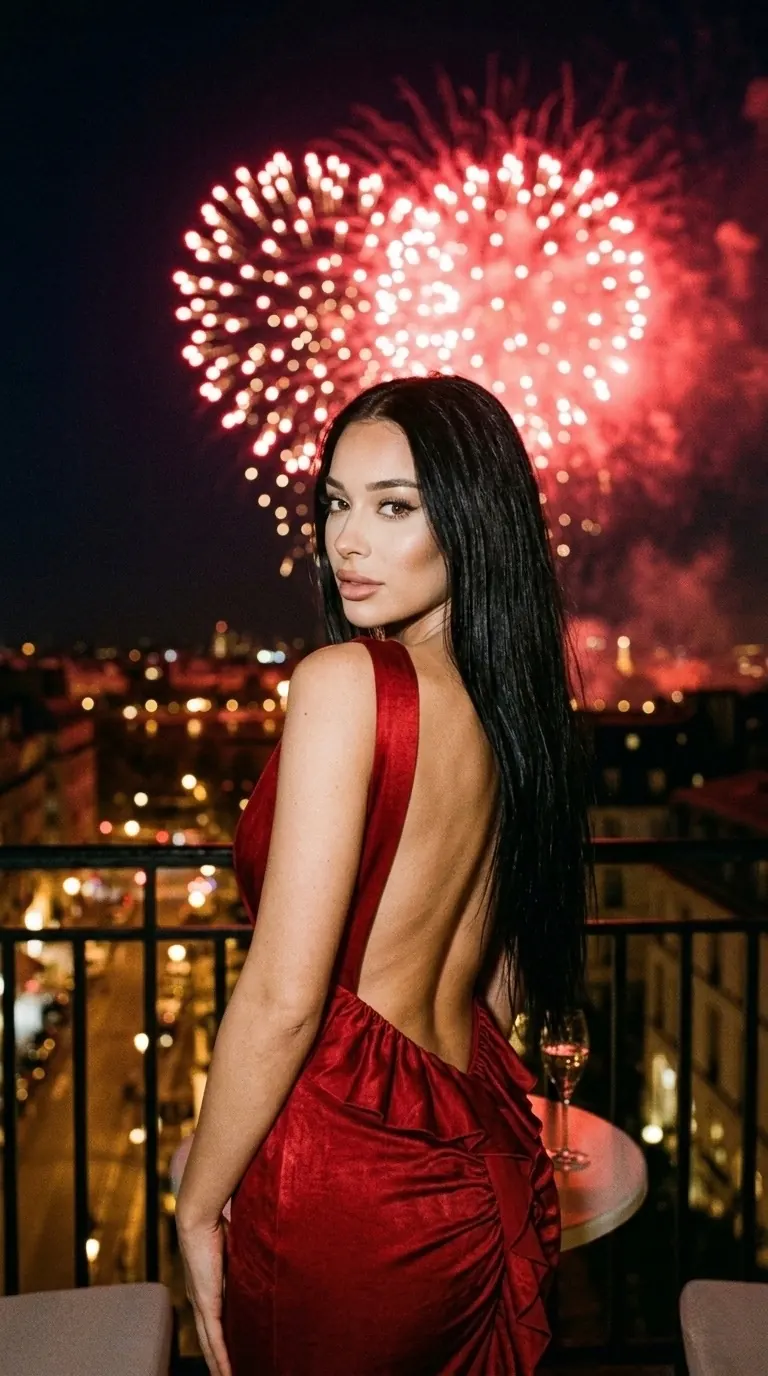
Create an ultra realistic cinematic portrait based on the reference, keeping the face and facial features unchanged. An extreme close-up cinematic shot of a girl at night on a balcony. The girl stands with her back to the camera and glances over her shoulder, looking into the lens. Against the night sky, a bright lavish fireworks display in the shape of a red heart creates a romantic atmosphere. The girl wears an elegant red dress with a deep open back and draping behind. Her hair is long, straight, loose and shiny. Soft evening light accentuates her silhouette, skin and hair texture. Cinematic lighting, soft film grain, realistic skin texture, shallow depth of field, atmospheric night mood, luxury aesthetic, ultra detailed, no AI look, no plastic skin, authentic photography, vertical 9:16.
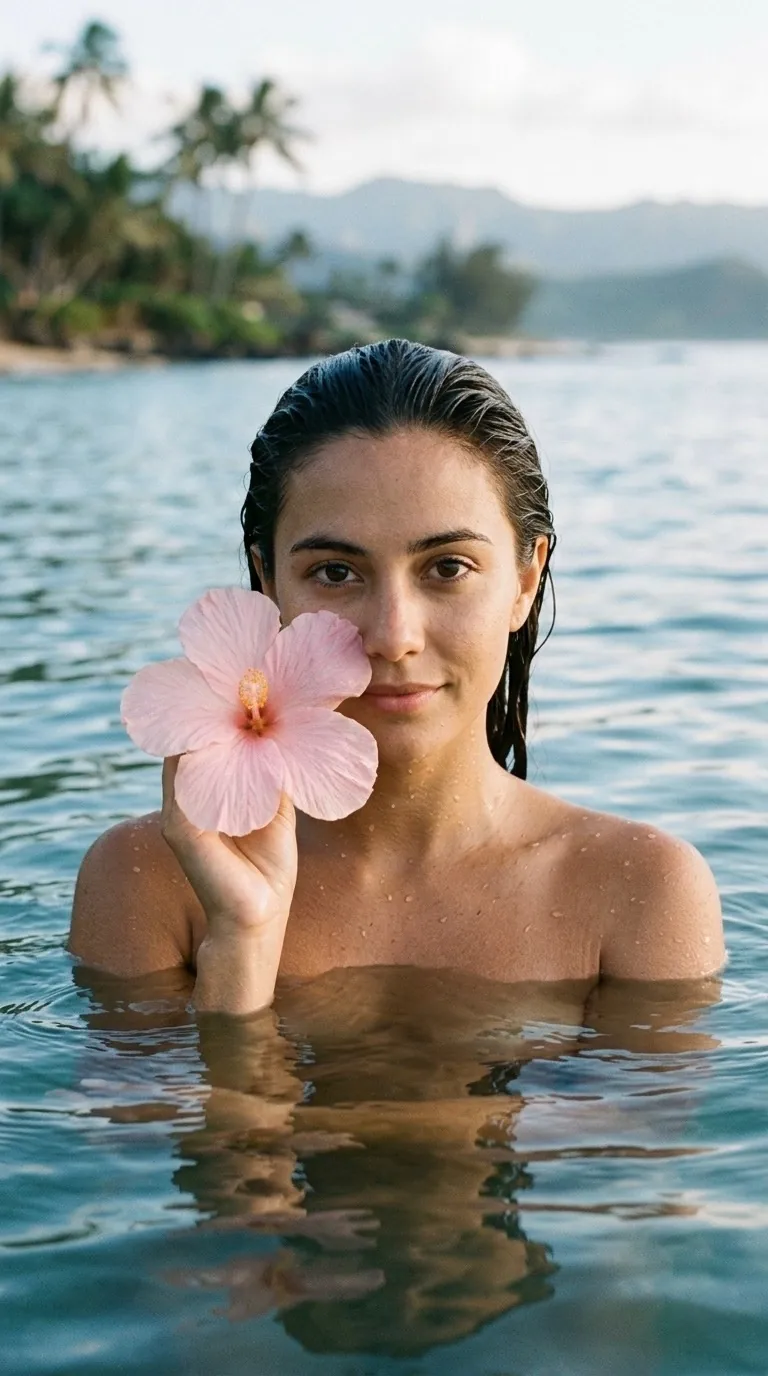
Create an ultra realistic cinematic portrait based on the reference, keeping the face and facial features unchanged. The girl is shoulder-deep in seawater, with no clothing visible in the frame. She holds a large soft-pink tropical flower to her face. Her hair is wet and slicked back, her skin moist with natural highlights from the water. The girl looks straight into the camera. Daylight, but slightly darkened, with an atmospheric cinematic mood. The background is softly blurred and out of focus, with the emphasis entirely on the face, the water and the flower. Cinematic portrait, soft film grain, shallow depth of field, realistic wet skin texture, moody daylight, natural shadows, authentic photography, no AI look, no plastic skin, ultra detailed, vertical 9:16.
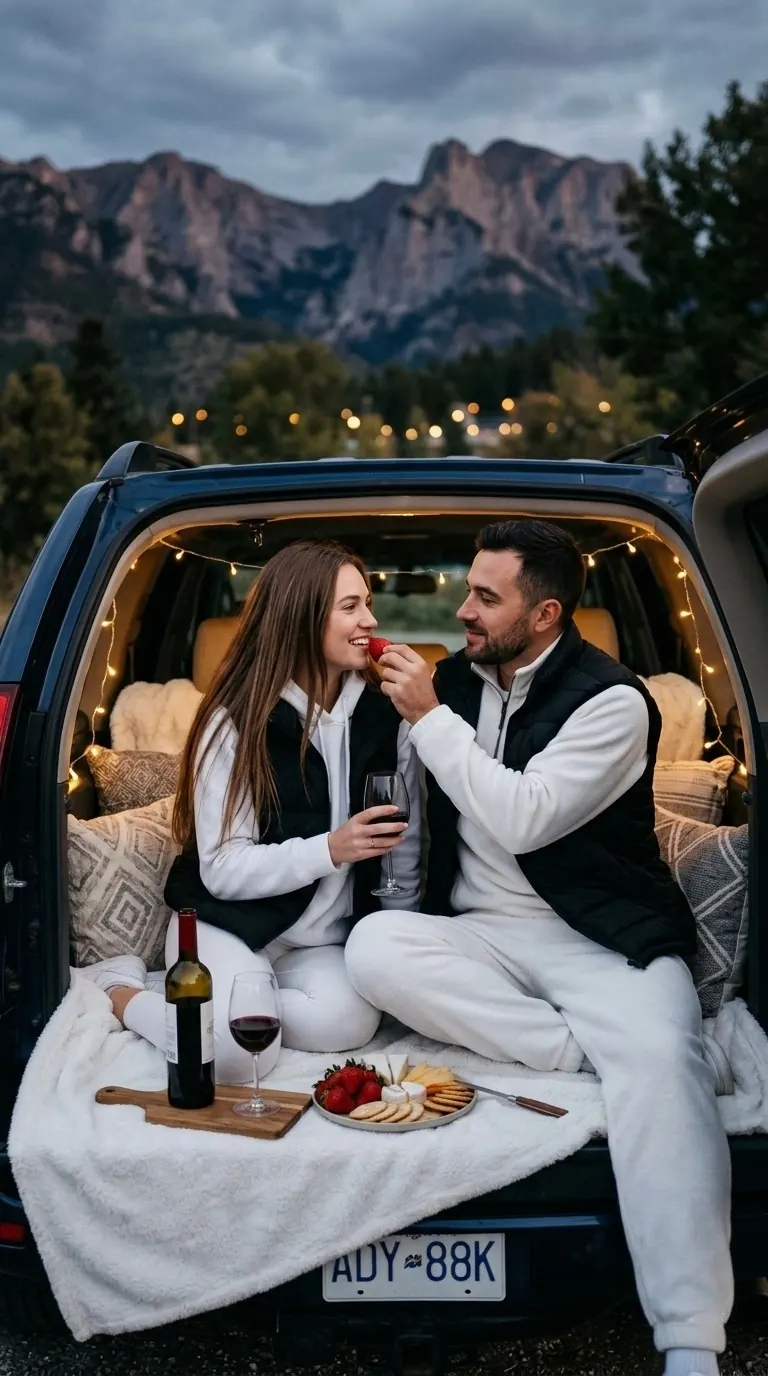
Create an ultra realistic cinematic couple portrait based on the reference, keeping the face and facial features unchanged. A couple sits in the evening in the open trunk of a car against a mountain backdrop. Inside the trunk there is a cozy romantic picnic aesthetic: a white blanket spread out, decorative pillows, a bottle of wine with glasses, a plate of strawberries and cheese, and warm string lights creating a soft glow. The man is feeding the girl a strawberry; they look at each other with tenderness and smiles. The girl wears white leggings, a white hoodie with the hood, a black puffer vest and sneakers. Her hair is long, straight and loose. The man wears a white fleece suit and a black puffer vest. Soft evening light, atmospheric string lights, cinematic mood, a romantic atmosphere of travel and coziness. Shallow depth of field, realistic skin texture, soft film grain, authentic candid photography, ultra detailed, 8K, no AI look, no plastic skin, vertical 9:16.
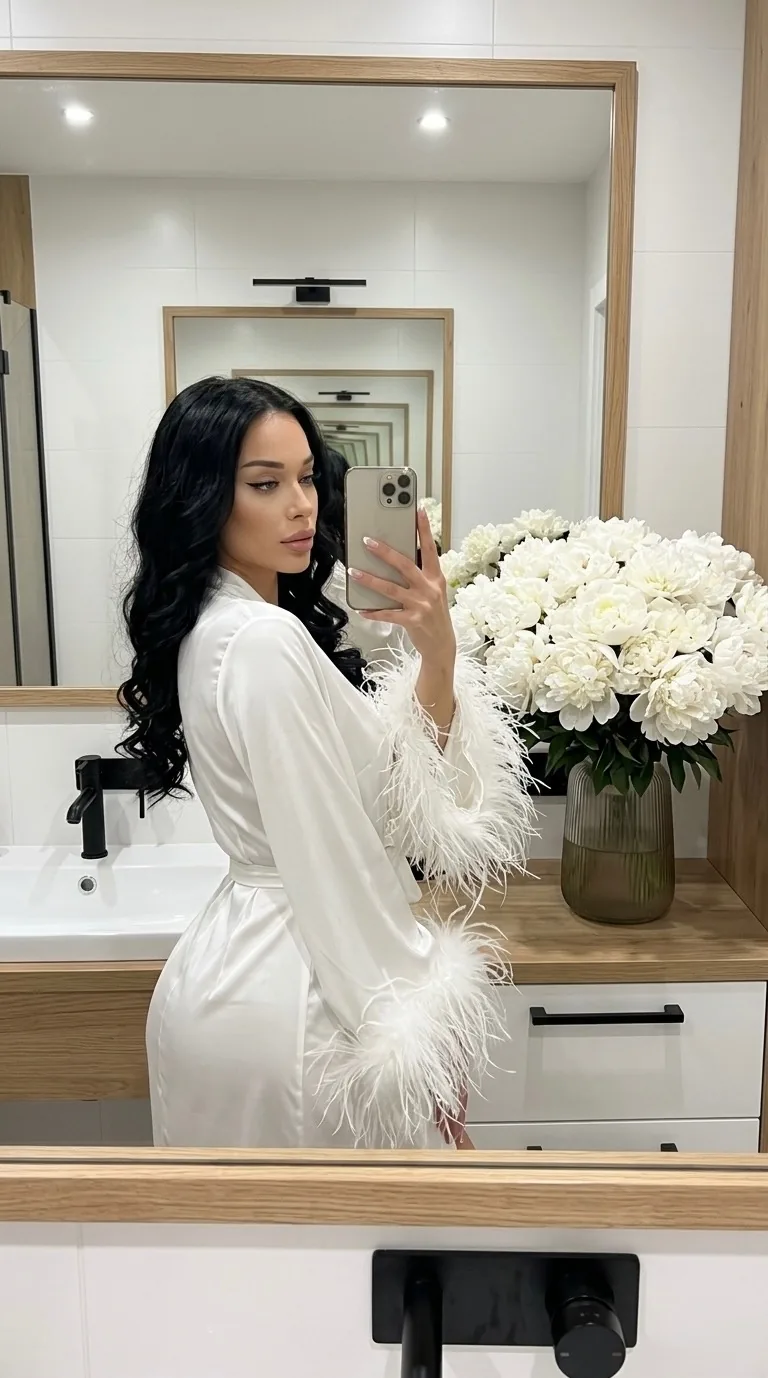
Create an ultra realistic mirror selfie portrait based on the reference, keeping the face and facial features unchanged. A girl stands in a modern minimalist bathroom taking a mirror selfie with her phone. The interior is bright and stylish: white walls, natural wood and black accents create a luxury aesthetic. The girl wears a white satin robe that accentuates her figure, with voluminous feathers on the wide sleeves. Her hair is long, loose, styled in soft luxurious curls. Her makeup is light and expensive-looking: glossy lips, soft contouring, long lashes, black winged eyeliner. Her nails are a neat French manicure. In the mirror reflection there is a serious yet flirtatious gaze, an atmosphere of confidence and luxury lifestyle aesthetics. Nearby, a huge bouquet of white spray peonies stands in a translucent vase. Cinematic mirror selfie, soft film grain, realistic skin texture, natural bathroom lighting, shallow depth of field, ultra detailed, no AI look, no plastic skin, authentic photography, luxury feminine aesthetic, vertical 9:16.
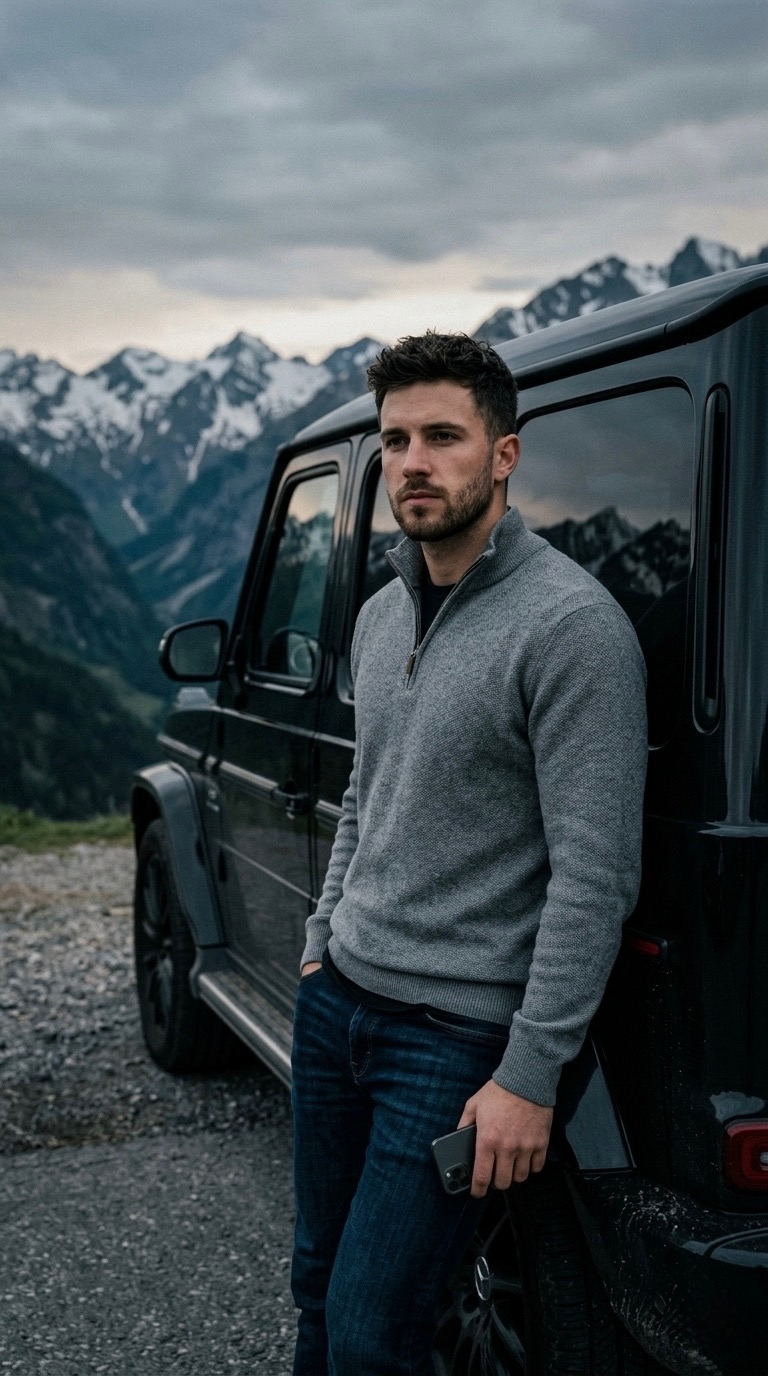
Create an ultra realistic cinematic portrait based on the reference, keeping the face and facial features unchanged. A young man stands leaning against an expensive black SUV. In the background are atmospheric mountains and a soft natural landscape. The frame is vertical 9:16, a close cinematic portrait with emphasis on the face, style and mood. The man wears a gray half-zip sweater and dark jeans. The atmosphere is calm, confident and luxury lifestyle. Natural lighting with slight darkening creates deep shadows and volume, accentuating the texture of the clothing and the facial features. Cinematic lighting, soft shadows, realistic skin texture, shallow depth of field, moody natural daylight, soft film grain, ultra detailed, authentic photography, no AI look, no plastic skin, 8K quality, vertical 9:16.
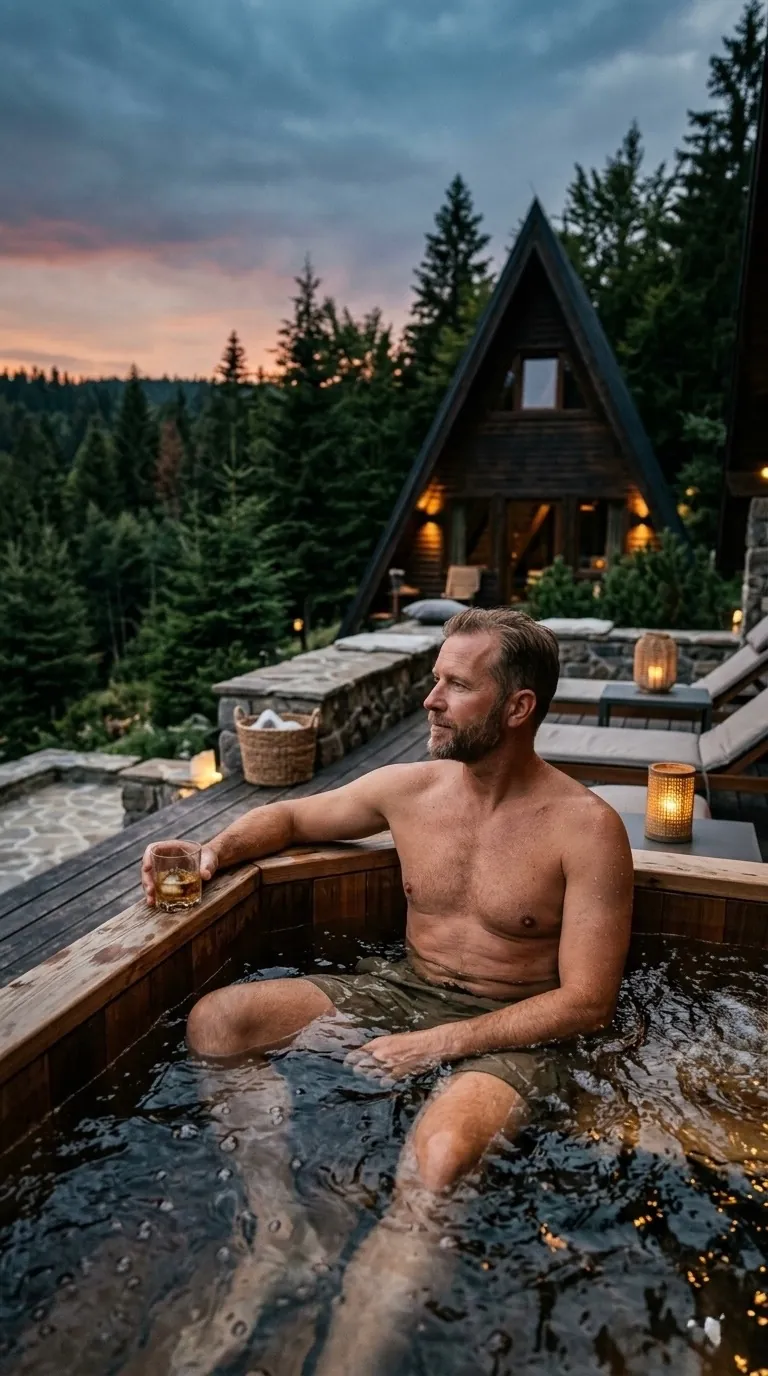
Create an ultra realistic cinematic portrait based on the reference, keeping the face and facial features unchanged. A man sits in a jacuzzi on an expensive open-air terrace surrounded by nature. In the background is a modern triangular house of dark wood and a dense forest, creating a luxury retreat atmosphere. The man wears khaki swim shorts. He sits half-turned, gazing relaxed into the distance, creating a calm and confident mood. The water in the jacuzzi softly reflects the surrounding light and the forest landscape. Natural lighting with slight darkening, cinematic mood, soft shadows, atmospheric depth of frame. Shallow depth of field, realistic skin texture, authentic photography, ultra detailed, no AI look, no plastic skin, luxury lifestyle aesthetic, vertical 9:16.
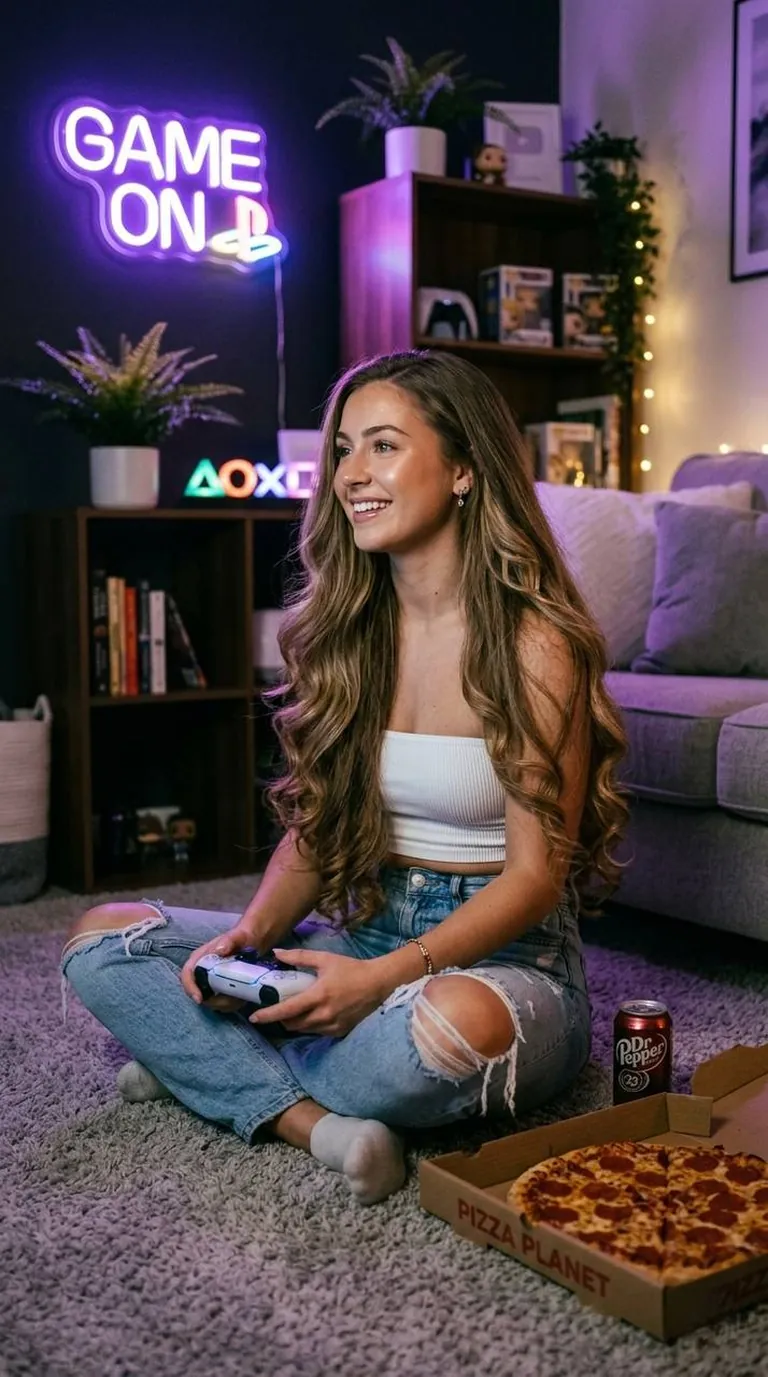
A girl sits on the floor of a cozy apartment playing PlayStation, holding a controller in her hands. Next to her lies an open pizza box. The TV is not visible. Photo taken at eye level. She wears a white bandeau top and light blue jeans with ripped knees. Her hair is thick, very long, with curled ends. To the side, purple neon lamp lighting on the wall. Glowy makeup. Natural pose. Dimmed lighting. Format 9:16
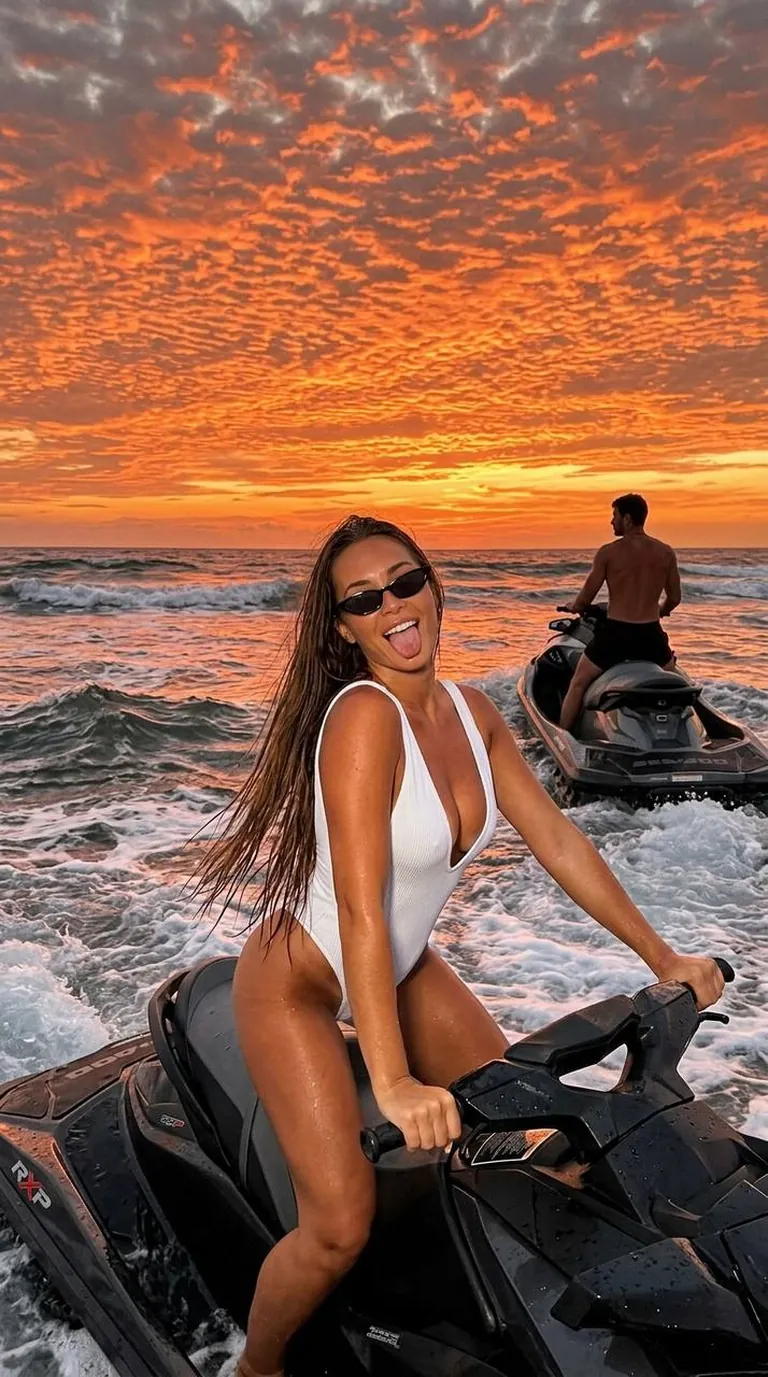
Do not change the face. Do not change the hair and eye color. Shot on iPhone. In the foreground, a woman in a white one-piece swimsuit with a deep neckline is positioned on a black jet ski. She sits on the jet ski with an arched back. Her hands hold the handlebars. The girl looks into the camera, playfully sticking out her tongue. Her hair is very, very long, straight, down to her lower back, slightly damp; do not make it look like a wig. She wears small black rimless cat-eye sunglasses. Her manicure is short white square nails. In the distance, a muscular man in short black shorts is not looking at the camera; he is turned away, gazing at the horizon behind him. The man is large and tall with a broad neck, tanned. He sits on a black and graphite jet ski. His pose is relaxed. They are in the ocean with fairly foamy waves. The photo is taken at sunset, the background and sky slightly darkened. The sky takes up most of the frame and shimmers with colors: fiery orange, red, yellow. The clouds are mackerel clouds (cirrocumulus), covering almost the entire sky in a scaly pattern, lit from below by the sunset light. No blue sky. Do not blur the background. Hyperrealism. Shot with flash as if in the dark. Format 9:16
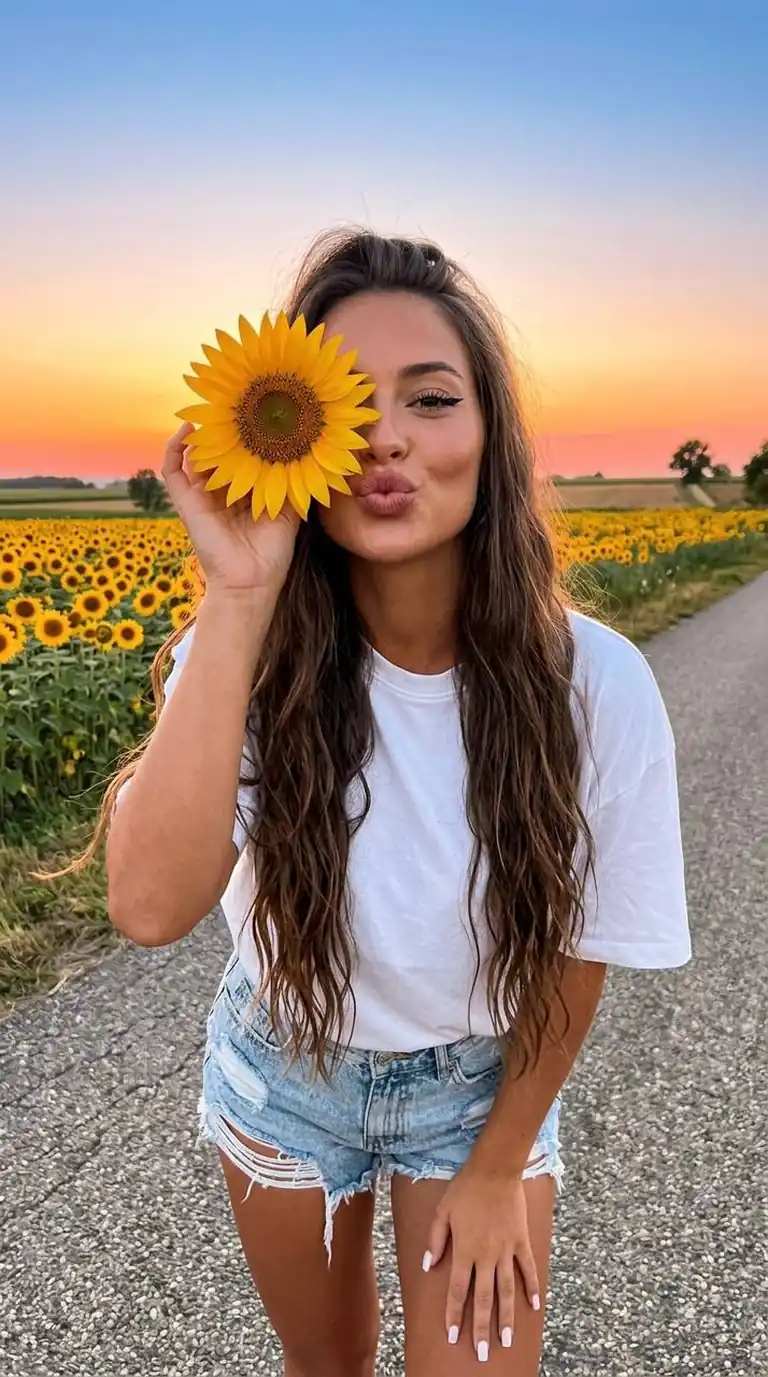
Preserve the facial features as much as possible. In the shot, taken from a short distance, a girl leans slightly forward, standing on a road beside a field of bright sunflowers, in a joyful atmosphere. She holds a single sunflower in her hand (covering one eye with it), her lips making a kiss. She wears light ripped shorts and a snow-white loose T-shirt tucked into the shorts. Square milky nails. Her hair is very long, waist-length, falling over her shoulders in loose waves, slightly voluminous at the roots. Makeup with emphasis on the eyes — winged eyeliner, long lashes, dusty rose lips. Natural warm sunset light accentuates her facial features. In the background is an asphalt road, green fields with sunflowers under a clear blue-orange sky with distinct pink. The shot is taken in natural light. The image is sharp, without any blur effects. Hyperrealism. Format 9:16
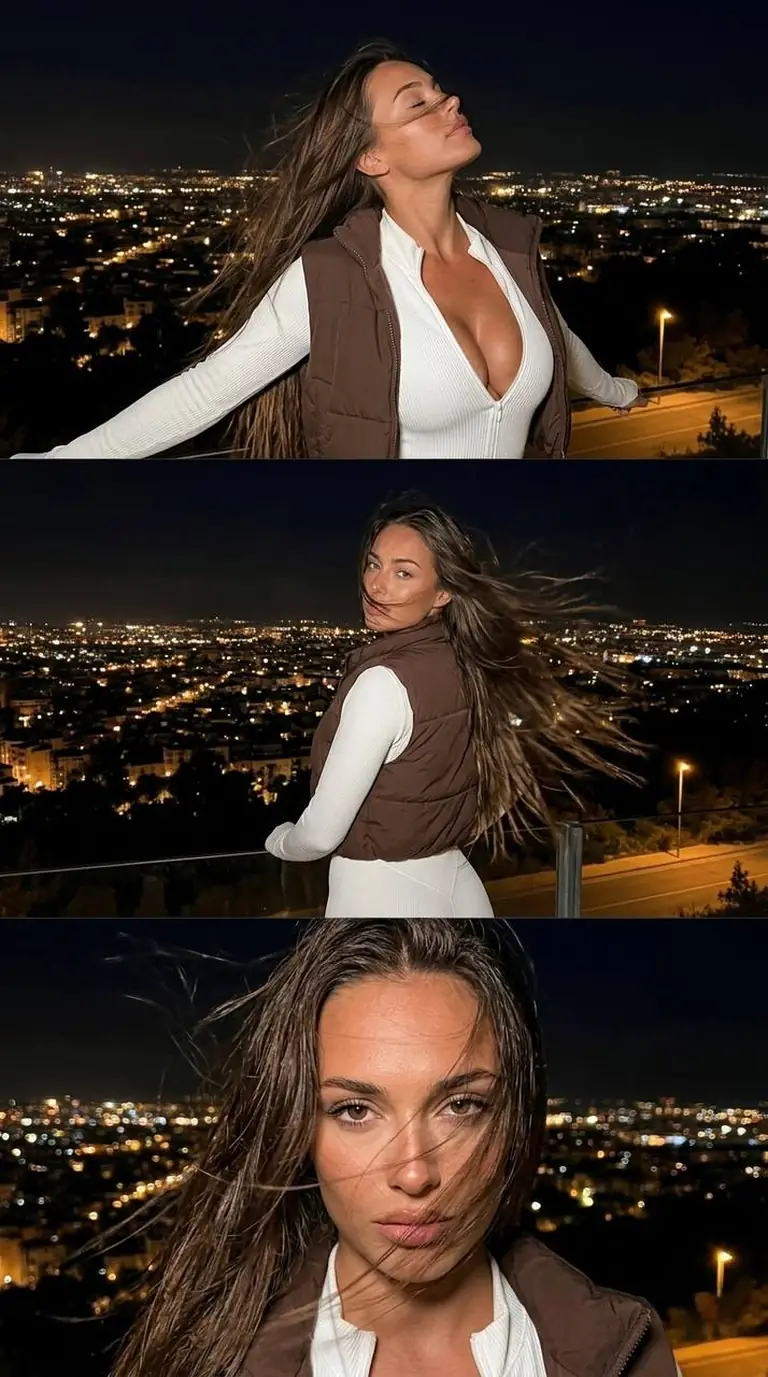
Create a hyperrealistic photo without changing my facial features or hair color. A triptych-style photo depicting a woman in a night city sparkling with countless lights; she stands on an elevated spot. The top panel shows the woman chest-up, in profile, positioned in the right part of the frame. She has thrown her head back and, with her eyes closed, seems to be looking at the sky with her arms spread wide. She wears a white ribbed figure-hugging sport jumpsuit with the zipper undone to the chest, framing a full neckline, with a short chocolate-brown vest worn over it. Her hair flutters in the wind, covering her face. In the background is a night city full of bright lights, calm and empty of people. The middle panel shows the same woman from behind, looking into the frame. Her long hair blows strongly in the wind. The bottom panel shows, in close-up, the face of the same woman, partially hidden by hair fluttering in the wind.
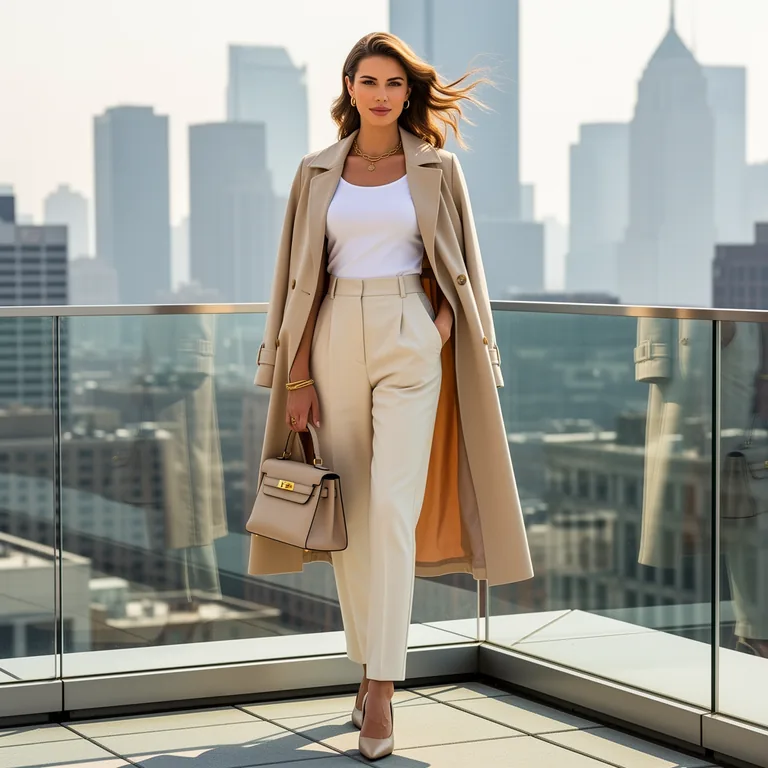
Ultra realistic photo of a stylish young European woman standing on a rooftop terrace of a modern skyscraper, city skyline background, elegant fashion outfit, bright neutral daylight, realistic colors, soft shadows, clean premium magazine photography, highly detailed
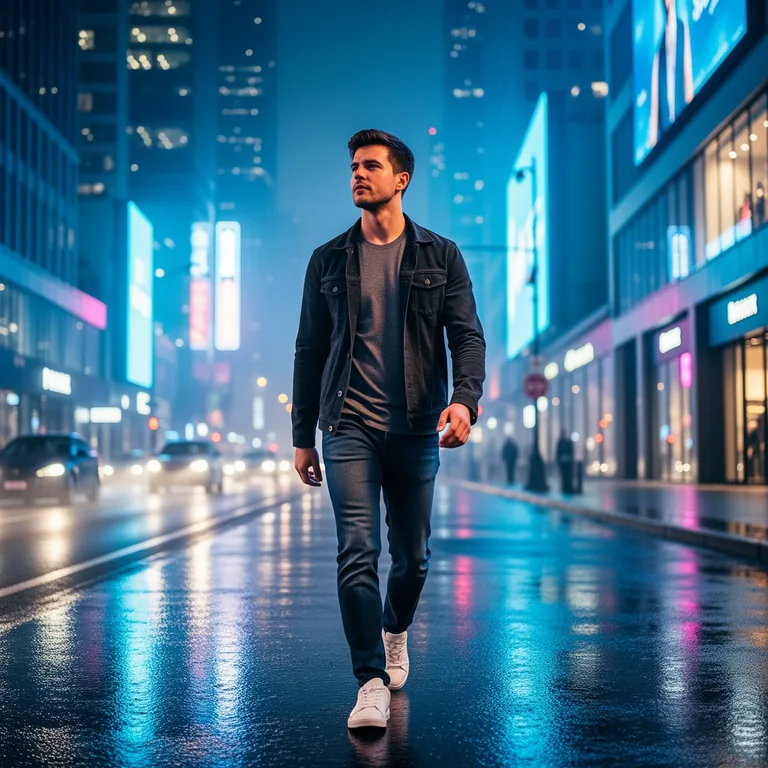
Use the reference image as the primary visual guide. Create an ultra realistic photo of a young European man walking through a modern city at night. Preserve the subject’s appearance, facial features, hairstyle, body proportions, outfit style, and overall composition from the reference image. Show him walking confidently through a contemporary urban street with neon reflections on wet pavement, blue and white city lights, cool tones, realistic photography, sharp details, and a cinematic urban atmosphere. Highly detailed, natural lighting, realistic skin texture, realistic proportions, depth of field, premium fashion editorial look.
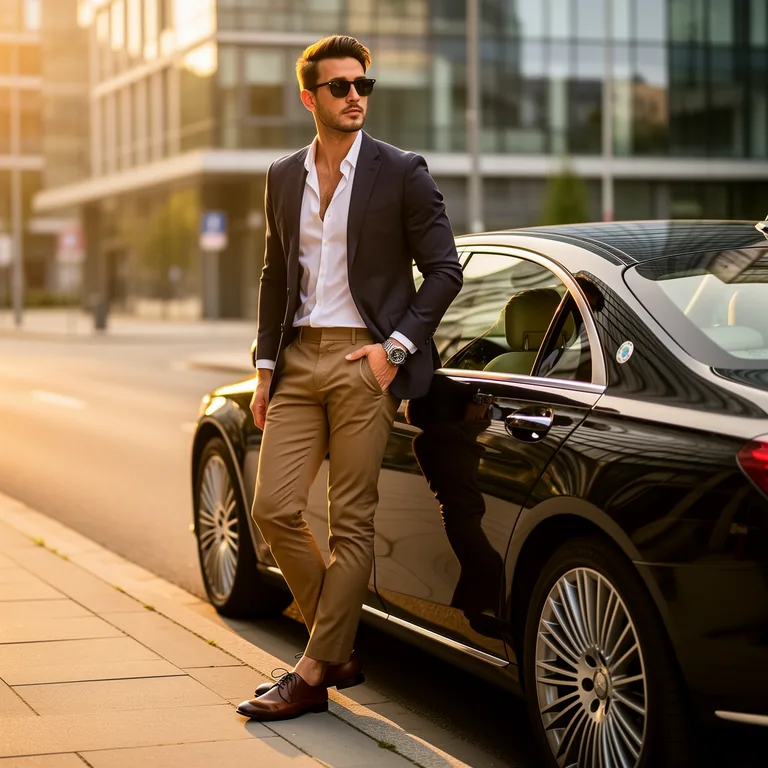
Use the reference image as the primary visual guide. Create an ultra realistic photo of the same stylish young European man from the reference image, standing next to a black luxury car on a modern city street. Preserve his facial features, hairstyle, body proportions, pose, outfit style, and overall vibe from the reference. Show him wearing a smart casual outfit, sunglasses, and an expensive watch. Clean urban background, golden hour sunlight, premium lifestyle photography, highly detailed, realistic skin texture, realistic lighting, sharp focus, luxury aesthetic.
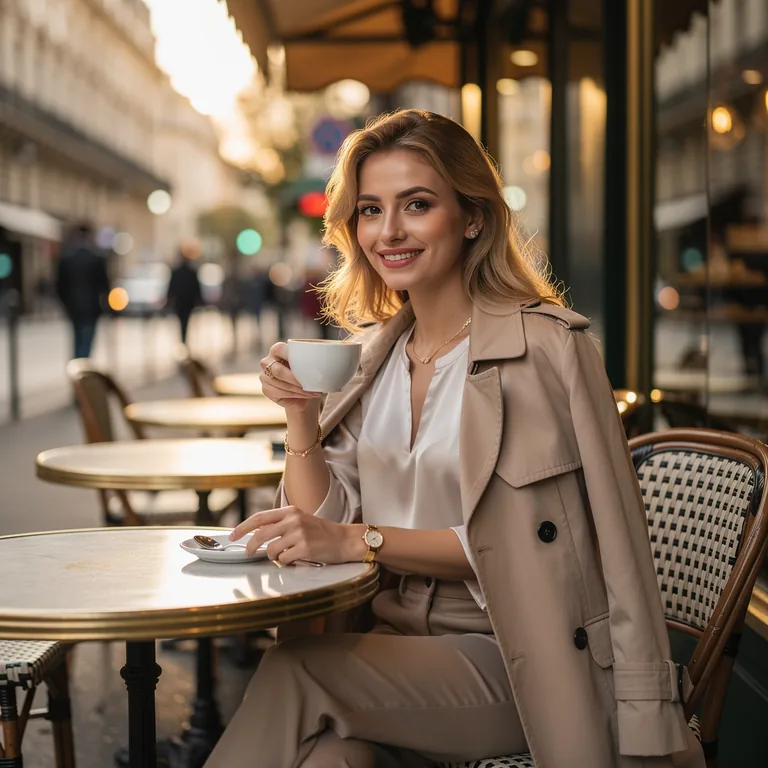
Use the reference image as the primary visual guide. Create an ultra realistic photo of the same young European woman from the reference image, sitting in an elegant street café in Paris. Preserve her facial features, hairstyle, body proportions, expression, and overall vibe from the reference. Show light skin, blonde hair, a natural smile, and her drinking coffee. Soft warm sunlight, luxury casual outfit, realistic photography, magazine editorial style, highly detailed, realistic skin texture, natural lighting, refined Parisian atmosphere.
In four steps
Add a description or your photos
Describe your idea, upload reference photos or use a ready-made example from the editor.
Choose a model for your task
Explore models for portraits, illustrations, lettering and photo edits. Choose by capabilities and price.
Set the format and resolution
Pick an aspect ratio for your project and an available resolution. Selected models support output in 4K.
Generate and download
Check the price and generate. Sign up on your first run. Download your image; it will also stay in your account library.
What you can do
16 image models, one balance
Generate images in one account. Switch models for different tasks and pay for each generation from a shared balance.
Create an image from a description
Describe the scene, objects, style and lighting. Build illustrations, advertising visuals and photographic images from scratch.
Generate from your reference photos
Upload references to guide the same product, character or visual style. GPT Image accepts up to 16 images at once.
Edit photos with words, without masks
Ask to remove an object, add a detail or change the lighting. Describe the edit without drawing masks or selecting areas manually.
Text, logos and transparent backgrounds
Choose models for lettering and graphics. GPT Image 2 and 2.5 support transparency for logos, stickers and product cutouts for infographics.
4K images and formats for your project
Choose up to 4K and aspect ratios for posts or banners, depending on the model. See prices before generating. No subscription; no VPN needed in Russia.
Available models
All on one balance — switch any time.
Flux
In-image textFlux is an AI image generator with accurate in-image text and predictable composition. Pro, Flex and Kontext for creation and editing. Free to start, Russian card payment.
Nano Banana
Photo editorNano Banana is Google’s (Gemini) AI for generating and editing photos by reference. Swaps objects, background and style, keeps faces. Pro and 2 versions. Free to start, online, no VPN.
GPT Image
Prompt-accurateOpenAI GPT Image 2 and 2.5 for image generation and editing, with up to 16 references, 4K resolution, and free starter credits.
Seedream
2K–4KSeedream is ByteDance’s image AI: ultra-fast 2K–4K shots with clean composition. Online, no VPN, Russian card payment, free to start.
Midjourney
4 images per promptCreate Midjourney images directly in your browser without a VPN, Discord, a foreign bank card, or a separate subscription. Write prompts in Russian, get 4 variants per generation, and animate your own frame into a short clip.
Z-Image
Cheap & fastZ-Image is Alibaba’s image AI: lightning-fast photoreal generation at the lowest price. Online, no VPN, Russian card payment.
Try these
Create a product photo of the bottle in the reference on light stone, with a eucalyptus sprig and soft side lighting. Keep its shape and colour. Leave space above for a headline.
Replace the background with a bright room with a large window. Add a floor plant on the left. Preserve the person's face, clothes and pose. Use soft daylight.
Create a coffee shop poster: cream background, a cup illustration and terracotta accents. Add a large Russian heading at the top: “Утро начинается здесь”. Use a clear font and no other text.
In this guide
How to use an AI image generator online
Use the AI image generator online in Neuromia to turn a description or reference photos into an image. Choose from 16 models sharing one balance. Request an illustration or a photographic look with lighting, textures and surroundings.
- Describe the result or use a ready-made example.
- Upload references if needed.
- Choose a model for your task.
- Select its available aspect ratio and resolution.
- Check the price and generate; registration is required at launch.
- Download the result, also saved in your account library.
Text to image, photo references and editing
Use text alone for a new scene. Upload references to guide a product, character or consistent style. To change an existing photo, describe the edit: replace its background, remove an object or adjust the lighting, without masks or manual selections.
How to write an image prompt
Subject and action
Name the subject and what it does. Try “a ceramic cup of hot tea with rising steam.”
Background and surroundings
Describe the setting. Add “on a wooden table beside a window.”
Style and lighting
Specify a photographic or illustrated look. For example: “product photography, soft daylight.”
Format and details
Describe placement and choose the aspect ratio in settings. Try “cup at the bottom, space for a headline above.”
For lettering, quote the exact words and specify language and position: “Large Russian heading ‘Время для себя’ at the top.” Consider GPT Image 2, Nano Banana Pro or Ideogram V3; check the text before publishing.
Which image model to choose
Prices below are in credits; “from” means the lowest listed price.
| Task | Model | Why | Price from |
|---|---|---|---|
| Drafts | Z-Image | Lowest-cost trials | 0.88/image |
| Everyday images and edits | Nano Banana | Description-based changes | 4.4/image |
| Details and banners | Nano Banana 2 | 4K, elongated formats | 8.8/image |
| Complex scenes with text | Nano Banana Pro | Text and 4K | 19.8/image |
| Quality and precise edits | GPT Image 2.5 Sunburst | Editing precision | 6.6/image |
| Lettering and edits | GPT Image 2 | Text in images | 6.6/image |
| Photorealism | Seedream 5.0 Pro / 5.0 Lite | Flagship / budget photorealism | 7.7 / 6.05 per image |
| Detail and prompt accuracy | Flux 2 Pro | Precise prompt following | 5.5/image |
| Photo edits | Flux Kontext | No masks needed | 5.5/image |
| Logos and posters | Ideogram V3 | Readable text | 3.85/image |
| Artistic images | Midjourney | Four options per run | 12.11/run |
Explore Nano Banana, GPT Image, Seedream and Flux. See Midjourney for artistic images or Z-Image for low-cost trials.
Editing and changing photos with AI
Upload a photo and state what to change and preserve: “Remove the box; keep the cup and camera angle.” Request a new background, object, lighting or style without masks. For a photoshoot based on your own photo, describe the setting and use references; exact facial matching is not guaranteed. You can then animate the result.
What you can create
Social media and advertising
Make covers and campaign visuals. Most models offer 1:1, 16:9 and 9:16.
Products and marketplaces
Use your product photo as a reference for a new scene. Visit Marketplace product cards.
Logos, posters and stickers
Specify wording, colours and layout. GPT Image 2 and 2.5 support transparent backgrounds.
Avatars, greeting cards and personal projects
Describe an avatar or upload your photo. For a card, add the occasion and a short greeting.
Where AI struggles
Check small text, long captions, hands and complex anatomy. References and multiple attempts can help with facial likeness but do not guarantee a match. Images of real celebrities and forged documents are not allowed.
How much image generation costs
Z-Image costs 0.88 credits per image; Nano Banana costs 4.4. GPT Image 2 and both 2.5 versions cost 6.6 at 1K, 11 at 2K and 17.6 at 4K. Midjourney costs 12.11 credits for four options per run.
New users receive 10 starter credits for trials on lower-cost models. Packages start at ₽499; one credit is approximately ₽0.83 when buying a package. There is no subscription: check the price before each run. Access from Russia needs no VPN; payment is by Russian bank card or SBP.
Frequently asked
More in the full FAQ.
Can I create an AI image for free?
Yes, using starter credits. After signing up, you receive 10 credits: enough for 11 Z-Image pictures at 0.88 credits each or 2 Nano Banana pictures at 4.4 each. Further generations are paid for from your balance.
Which AI model is best for creating images?
Choose by task: Midjourney for artistic images, GPT Image 2 or Ideogram V3 for lettering, and Seedream for photographic looks. For complex scenes with text and 4K output, consider Nano Banana Pro.
Can I generate an image from a Russian prompt?
Yes. Describe the subject, background, style and details in Russian. For lettering, put the exact words in quotation marks and specify their position. The editor interface is also available in Russian.
How do I edit a photo with AI?
Upload your photo and describe what to change: the background, an object, lighting or style. Specify what to preserve. Options include Flux Kontext, Nano Banana and GPT Image 2. No masks or manual selections are needed.
Can I create a new photo from my own photo?
Yes. Upload your photo as a reference and describe a new scene, lighting or style for an AI photoshoot. An exact facial match is not guaranteed: compare several results and add references if needed.
Which AI model writes text without mistakes?
No model guarantees error-free lettering. GPT Image 2, Nano Banana Pro and Ideogram V3 are options for text. Quote the exact wording and specify its language and position. Check the result, especially small text and long phrases.
Can I generate an image in 4K?
Yes. GPT Image 2 and 2.5, Nano Banana 2, Nano Banana Pro, Seedream 4.5 and Seedream 5.0 Lite support 4K. Select it in the supported model's settings and check the price before generating.
Can I make an image with a transparent background?
Yes. GPT Image 2 and GPT Image 2.5 support transparent backgrounds. Use them for standalone logos, stickers and product images you want to place in infographics.
How much does one image cost?
Z-Image starts at 0.88 credits; Nano Banana costs 4.4, and GPT Image 2 at 1K costs 6.6. One credit is approximately ₽0.83 when buying a package; packages start at ₽499. Midjourney costs 12.11 credits for four options per run. You see the price before generating.
Do I need a VPN, and how can I pay?
Neuromia can be accessed from Russia without a VPN. Supported payment methods are Russian bank cards and SBP, Russia's Faster Payments System. There is no subscription: top up one balance and spend credits across the available models.
Turn your idea into an image
Describe an image or upload a photo in the editor. Sign up when you generate and use your 10 starter credits for your first attempts.
Create account